
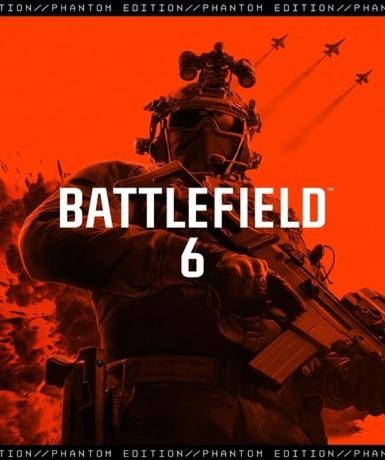
Battlefield 6 (Phantom Edition) (EA App) (EU)
About this licence
This product is a digital licence key for Battlefield 6 (Phantom Edition) (EA App) (EU), delivering the complete Phantom Edition content. The key activates on the EA App platform, providing full access to the game and its Phantom Edition bonuses. Your licence grants permanent access to Battlefield 6 (Phantom Edition) with no expiry date or renewal requirements. This variant is specifically for European (EU) activation and requires an EA App account for redemption. Battlefield 6 continues the acclaimed first-person shooter series with large-scale battles and dynamic environments. The Phantom Edition includes exclusive in-game content not available in the standard version. Multiplayer modes support intense team-based combat across various maps and scenarios. The game features advanced destruction physics and vehicle-based warfare mechanics. Players can customize weapons and equipment to suit their preferred playstyle. Activation is simple: redeem your key through the EA App to add the game to your library. The European (EU) region lock means the key activates only for accounts registered in eligible European countries. No additional subscriptions or recurring payments are required after activation. Internet connection is required for both activation and gameplay. The digital format means no physical media or shipping delays. This is a genuine software licence acquired for lawful resale with full activation support. Each purchase includes a valid VAT invoice for your records. The lifetime licence term means your access continues indefinitely without renewal. Support is available for any activation issues through standard channels.
- Lifetime access to Battlefield 6 (Phantom Edition)
- European (EU) activation region
- EA App platform digital key
- secure order-page delivery
- Includes Phantom Edition bonus content
- No subscription required
Frequently asked questions
What platform is this key for?
This key activates exclusively on the EA App platform. You'll need an EA App account to redeem it. The game will then be permanently added to your EA library. No other platforms or launchers are supported with this key.
What does European (EU) activation mean?
European (EU) activation means this key can only be redeemed by accounts registered in eligible European countries. The key won't activate outside the EU region. Check your account's registered country matches the EU requirement before purchasing.
How long does the licence last?
This is a lifetime licence with no expiration date. Once activated, your access to Battlefield 6 (Phantom Edition) continues indefinitely. No renewal or additional payments are ever required to maintain access.
How will I receive my key?
The digital key is delivered according to the timing shown before payment via email after payment confirmation. You'll typically receive it within minutes. Check your inbox and spam folder if you don't see it immediately. The email contains instructions for activation.
What's included in the Phantom Edition?
The Phantom Edition includes the base game plus exclusive bonus content. While exact details vary, Phantom Editions typically offer cosmetic items, XP boosts, or early access benefits. All content is delivered digitally upon activation.
What support is included with my purchase?
Your purchase includes activation support for any issues redeeming your key. You'll also receive a valid VAT invoice. For game-specific support after activation, contact EA's standard support channels. The reseller provides assistance with delivery and activation only.
Product details
| Brand | Battlefield |
|---|---|
| Category | All Games |
| Edition | Phantom |
| Term | Lifetime |
| Platform | EA App |
| License | Standard |
| Activation region | EU |
| Delivery | Digital key — secure order-page delivery |
| Invoice | EU invoice included |
System requirements
Product-specific requirements have not yet been verified. Check the publisher’s compatibility information before purchase or ask support to confirm your setup.
Activation & installation overview
- 1Download the installer from the vendor’s official website.
- 2Run the installer and follow the on-screen steps.
- 3Enter your license key when prompted to activate.
- 4Restart if requested — you’re ready to go.
This is a general activation overview; publisher screens can vary by edition and version.
Top in All Games
See all SteamCyberpunk 2077 | Digital Version | PCAll Games
 SteamGrand Theft Auto IV Complete Edition EU PC Steam CD KeyAll Games
 SteamGrand Theft Auto IV Complete Edition PC Steam CD KeyAll Games
 SteamGrand Theft Auto IV Complete Edition PC Steam GiftAll Games
 AlienAlien: Isolation (Collection)All Games
 SteamGrand Theft Auto III Steam CD KeyAll Games
 NeedNeed for Speed Most Wanted Limited Edition PC EA App CD KeyAll Games
 SteamNBA 2K14 PC Steam CD KeyAll Games
Customer reviews
No reviews yet