
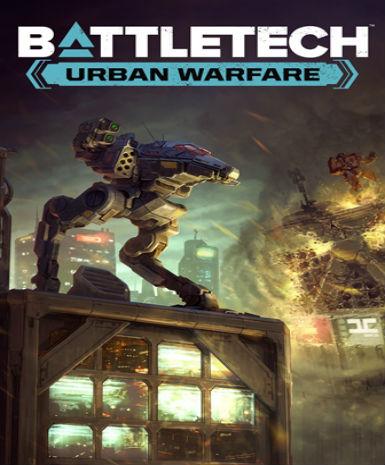
BattleTech: Urban Warfare
About this licence
BattleTech: Urban Warfare is a tactical combat game expansion that introduces urban warfare scenarios. This expansion adds new challenges and strategies as you navigate dense city environments. Command your BattleMechs through tight streets and towering structures in intense battles. Experience dynamic destruction as buildings collapse and alter the battlefield in real-time. New mission types and contracts offer fresh gameplay opportunities in urban settings. Urban Warfare includes new 'Mech variants optimized for close-quarters combat. Electronic warfare capabilities allow for new tactical approaches to engagements. Environmental hazards like collapsing buildings add another layer of strategy. The expansion introduces new AI behaviors that adapt to urban combat conditions. Players can utilize verticality and cover more effectively in city environments. This digital key provides lifetime access to the BattleTech: Urban Warfare expansion. Compatible with the base BattleTech game on Steam platform. The GLOBAL region designation means it can be activated from anywhere worldwide. Simply redeem the key in your Steam client to add the expansion to your library. Each purchase includes a valid VAT invoice for your records. Genuine software licences are acquired for lawful resale. Activation support is available if you encounter any issues redeeming your key. The listed licence term controls expiry; no automatic renewal is included. This is a standalone expansion requiring the base BattleTech game to play.
- New urban warfare scenarios and environments
- Additional 'Mech variants and electronic warfare
- Dynamic destruction and environmental hazards
- Global activation compatibility
- secure delivery through your order page
Frequently asked questions
How do I activate BattleTech: Urban Warfare?
You'll receive an email with your digital key immediately after purchase. Open your Steam client and select 'Add a Game' then 'Activate a Product on Steam'. Enter the key when prompted. The expansion will be added to your library and can be installed alongside your base BattleTech game.
What does the GLOBAL region mean for activation?
The GLOBAL region designation means this key can be activated from any country where Steam operates. There are no geographical restrictions on where you can redeem the key. The expansion will be available in your Steam library regardless of your location.
When will I receive my digital key?
The key is delivered according to the timing shown before payment via email upon successful payment. Check your inbox (and spam folder) for an email from us. If you don't receive it within a few minutes, contact our support team with your order details for assistance.
Do I need the base BattleTech game to play this?
Yes, BattleTech: Urban Warfare is an expansion that requires the base BattleTech game to play. The expansion content will be accessible through your existing BattleTech installation once activated. Make sure you own and have installed the base game before activating this expansion.
What payment methods and documentation are included?
We accept various payment methods including credit cards and PayPal. Each purchase includes a valid VAT invoice for your records. The invoice will be sent to your email address and can be used for accounting or reimbursement purposes where applicable.
What support is available if I have activation issues?
If you encounter any problems activating your key, our support team can assist you. Have your order details ready when contacting support. We can verify your purchase and help troubleshoot any activation issues you might experience with the Steam platform.
Product details
| Brand | Far |
|---|---|
| Category | All Games |
| Platform | Steam |
| License | Standard |
| Activation region | Global |
| Delivery | Digital key — secure order-page delivery |
| Invoice | EU invoice included |
System requirements
Product-specific requirements have not yet been verified. Check the publisher’s compatibility information before purchase or ask support to confirm your setup.
Activation & installation overview
- 1Download the installer from the vendor’s official website.
- 2Run the installer and follow the on-screen steps.
- 3Enter your license key when prompted to activate.
- 4Restart if requested — you’re ready to go.
This is a general activation overview; publisher screens can vary by edition and version.
Top in All Games
See all SteamCyberpunk 2077 | Digital Version | PCAll Games
 SteamGrand Theft Auto IV Complete Edition EU PC Steam CD KeyAll Games
 SteamGrand Theft Auto IV Complete Edition PC Steam GiftAll Games
 AlienAlien: Isolation (Collection)All Games
 NeedNeed for Speed Most Wanted Limited Edition PC EA App CD KeyAll Games
 SteamNBA 2K14 PC Steam CD KeyAll Games
 PlayStationPlayStation Plus Essential 3 Months Subscription UKAll Games
 XboxXBOX Live USD 50 Prepaid Card USAll Games
Customer reviews
No reviews yet