
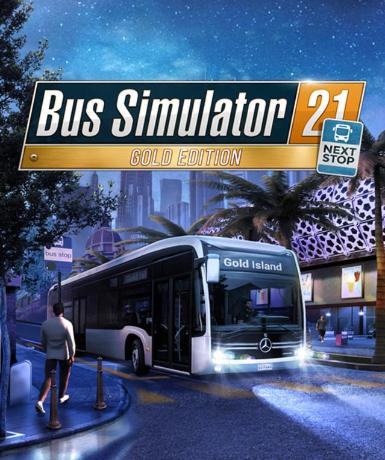
Bus Simulator 21 Next Stop (Gold Edition) (Steam)
About this licence
Bus Simulator 21 Next Stop (Gold Edition) (Steam) is the enhanced version of the popular bus driving simulation game. The Gold Edition includes the base game and the Official Map Extension, adding new routes and buses to explore. Drive a fleet of licensed city buses from manufacturers like Mercedes-Benz, MAN, and Setra across detailed urban environments. Experience realistic bus operations with authentic handling, passenger management, and traffic systems. Manage schedules, transport passengers, and expand your bus company in a dynamic open world. The game features two expansive maps: Angel Shores and Seaside Valley, each with unique challenges and routes. Customize your buses with different liveries and upgrade your fleet with new vehicles as you progress. Handle realistic traffic conditions, weather effects, and passenger needs during your shifts. The Gold Edition provides the complete experience with all additional content included from launch. The key activates a permanent licence for Bus Simulator 21 Next Stop (Gold Edition) on your Steam account. No subscription is required - the game remains accessible after activation without additional fees. The licence is valid for activation worldwide with no regional restrictions. Each purchase includes a valid VAT invoice and full activation support if needed. The product is supplied as a genuine software licence acquired for lawful resale. The listed licence term controls expiry; automatic renewal or extension is not included.
- Gold Edition includes base game and Official Map Extension
- Drive licensed buses from Mercedes-Benz, MAN, and Setra
- Two detailed maps: Angel Shores and Seaside Valley
- Manage schedules and expand your bus company
- secure order-page delivery of Steam digital key
- Global activation with no regional restrictions
Frequently asked questions
How do I activate Bus Simulator 21 Next Stop (Gold Edition)?
You will receive a Steam key via email immediately after purchase. Open the Steam client, select 'Activate a Product' under the Games menu, and enter the key. The game will be added to your library permanently. No additional steps are required after activation.
What does the GLOBAL region mean for activation?
The GLOBAL region indicates the Steam key can be activated from any country. There are no geographical restrictions on where you can redeem or play the game. The licence is valid worldwide once activated on your Steam account.
When will I receive my Steam key after purchase?
The key is delivered according to the timing shown before payment via email upon successful payment. Check your inbox and spam folder if you don't see it immediately. The email contains clear instructions for activation on Steam. Contact support if you experience any delivery issues.
What is included in the Gold Edition?
The Gold Edition includes the base Bus Simulator 21 Next Stop game plus the Official Map Extension. This adds new routes, buses, and expanded gameplay content. All additional features are available immediately after activation with no separate downloads required.
Is this a physical copy or digital download?
This is a digital product only. You receive a Steam key for activation, not a physical disc. After redeeming the key on Steam, the game downloads directly to your computer. The download size varies based on updates and your system configuration.
What support is included with my purchase?
Each purchase includes activation support if you encounter issues redeeming your Steam key. You also receive a valid VAT invoice for your records. The seller provides genuine software licences acquired for lawful resale. For gameplay support, consult the developer's official resources.
Product details
| Brand | Steam |
|---|---|
| Category | All Games |
| Edition | Gold |
| Platform | Steam |
| License | Standard |
| Activation region | Global |
| Delivery | Digital key — secure order-page delivery |
| Invoice | EU invoice included |
System requirements
Product-specific requirements have not yet been verified. Check the publisher’s compatibility information before purchase or ask support to confirm your setup.
Activation & installation overview
- 1Open your platform (e.g. Steam) and choose ‘Activate a Product’.
- 2Enter the key from your secure order page.
- 3The title is added to your library — download and play.
This is a general activation overview; publisher screens can vary by edition and version.
Top in All Games
See all SteamCyberpunk 2077 | Digital Version | PCAll Games
 SteamGrand Theft Auto IV Complete Edition EU PC Steam CD KeyAll Games
 SteamGrand Theft Auto IV Complete Edition PC Steam CD KeyAll Games
 SteamGrand Theft Auto IV Complete Edition PC Steam GiftAll Games
 AlienAlien: Isolation (Collection)All Games
 NeedNeed for Speed Most Wanted Limited Edition PC EA App CD KeyAll Games
 SteamNBA 2K14 PC Steam CD KeyAll Games
 PlayStationPlayStation Plus Essential 3 Months Subscription UKAll Games
Customer reviews
No reviews yet