
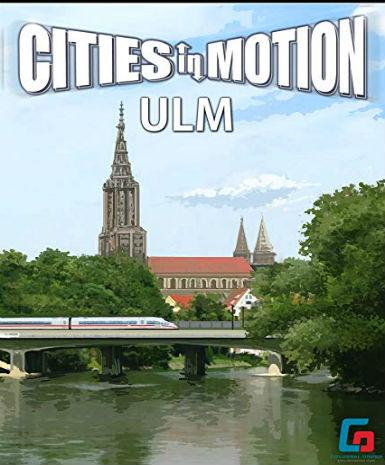
Cities in Motion - Ulm (DLC)
About this licence
Cities in Motion - Ulm (DLC) is a downloadable expansion for the city-building and transport simulation game Cities in Motion. This DLC introduces the German city of Ulm as a new playable location with its own unique road network and landmarks. Players can design and manage public transit systems including buses, trams, and ferries to serve Ulm's citizens. The expansion requires the base game Cities in Motion to play, adding new challenges and opportunities to the existing gameplay. Ulm's detailed cityscape and transport needs provide fresh content for both new and experienced players. The DLC features Ulm's distinctive architecture and layout, recreating the city's real-world transport challenges. Players must balance budget constraints with citizen demands to create efficient transit networks. New scenarios and missions are tailored to Ulm's geography and urban development. The expansion integrates seamlessly with the base game, offering more variety in gameplay. Ulm's landmarks and historical sites are included, adding visual interest and strategic considerations. This product is delivered as a global digital key, redeemable on the platform where you own the base game. The license is lifetime with no expiration date, granting permanent access to the Ulm DLC content. The DLC is compatible with all existing save files and game progress in Cities in Motion. Multiplayer functionality is supported if the base game includes multiplayer features. Each purchase includes a valid VAT invoice and activation support if needed. The product is supplied as genuine software acquired for lawful resale. No automatic renewal or extension is required as the license has no expiration. The global key works worldwide with no regional restrictions on activation. Support is available for any issues with key redemption or DLC activation.
- New playable city: Ulm, Germany
- Unique road network and landmarks
- Manage buses, trams, and ferries
- Global digital key with delivery timing shown before payment
- Lifetime license, no expiration
Frequently asked questions
How do I activate Cities in Motion - Ulm (DLC)?
The DLC is activated using the digital key delivered by email. Redeem the key in the platform where you own the base game Cities in Motion. The activation process is instant and grants permanent access. No additional steps are required beyond redeeming the provided key.
What does the global activation region mean?
The global key works worldwide with no regional restrictions. You can activate and play the DLC in any country. The license is not tied to a specific region or language. All features are available regardless of your location.
When will I receive my digital key?
The key is delivered according to the timing shown before payment via email after purchase completes. Check your inbox and spam folder if you don't see the email immediately. The delivery time is typically within minutes of payment confirmation. No waiting period is required before activation.
Do I need the base game to play this DLC?
Yes, Cities in Motion - Ulm (DLC) requires the base game Cities in Motion to play. The DLC expands the base game with new content but cannot operate independently. Ensure you own the base game before purchasing this expansion.
What support is included with my purchase?
Your purchase includes activation support for the digital key. A valid VAT invoice is provided with each transaction. For technical issues with the DLC content, consult the base game's support channels. The seller provides assistance with key redemption if needed.
Product details
| Brand | Cities |
|---|---|
| Category | All Games |
| Platform | Steam |
| License | Standard |
| Activation region | Global |
| Delivery | Digital key — secure order-page delivery |
| Invoice | EU invoice included |
System requirements
Product-specific requirements have not yet been verified. Check the publisher’s compatibility information before purchase or ask support to confirm your setup.
Activation & installation overview
- 1Download the installer from the vendor’s official website.
- 2Run the installer and follow the on-screen steps.
- 3Enter your license key when prompted to activate.
- 4Restart if requested — you’re ready to go.
This is a general activation overview; publisher screens can vary by edition and version.
Top in All Games
See all SteamCyberpunk 2077 | Digital Version | PCAll Games
 SteamGrand Theft Auto IV Complete Edition EU PC Steam CD KeyAll Games
 SteamGrand Theft Auto IV Complete Edition PC Steam CD KeyAll Games
 SteamGrand Theft Auto IV Complete Edition PC Steam GiftAll Games
 AlienAlien: Isolation (Collection)All Games
 SteamGrand Theft Auto III Steam CD KeyAll Games
 NeedNeed for Speed Most Wanted Limited Edition PC EA App CD KeyAll Games
 SteamNBA 2K14 PC Steam CD KeyAll Games
Customer reviews
No reviews yet