
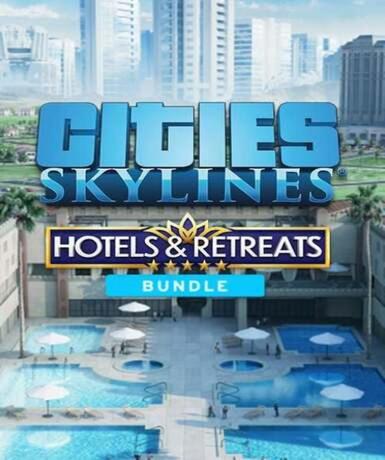
Cities: Skylines - Hotels & Retreats Bundle (Steam)
About this licence
Cities: Skylines - Hotels & Retreats Bundle (Steam) combines the base city-building game with the Hotels & Retreats expansion. This bundle introduces new tourism mechanics, allowing players to construct and manage hotels, resorts, and leisure facilities. The expansion enhances your city's economy by attracting visitors and developing hospitality infrastructure. Players can create vibrant tourist destinations while balancing the needs of residents and businesses. The bundle offers a complete experience for both new players and returning mayors looking to expand their cities. The Hotels & Retreats expansion adds specialized buildings like luxury hotels, mountain lodges, and beach resorts. New gameplay mechanics include tourism demand, visitor satisfaction, and hospitality industry management. Players can zone special tourism districts and customize their leisure offerings. The expansion integrates seamlessly with the base game's traffic, economy, and city management systems. Additional assets and visual upgrades bring new life to your city's tourist areas. This is a digital Steam key that provides lifetime access to the bundle content. The key is region-free and activates worldwide on the Steam platform. The product requires a Steam account to redeem and play; internet connection required for download. This is a digital license only - no physical items are included with purchase. Genuine software licences are acquired for lawful resale through authorized channels. Each purchase includes a valid VAT invoice and activation support if needed. The licence provides permanent access with no automatic renewal required. System requirements for Cities: Skylines apply to this bundle content. The bundle offers excellent value by combining base game and expansion in one package.
- Base game plus Hotels & Retreats expansion
- Tourism-focused gameplay mechanics
- Global Steam key with lifetime access
- secure delivery through your order page
- Requires Steam account to activate
- Includes VAT invoice and support
Frequently asked questions
How do I activate Cities: Skylines - Hotels & Retreats Bundle?
You'll receive a Steam key via email immediately after purchase. Open your Steam client, select 'Activate a Product' under the Games menu, and enter the key. The game will be added to your Steam library for download. The activation is permanent and doesn't require renewal.
What does worldwide activation mean?
The Steam key has no regional restrictions and can be activated in any country. The game will be available in your Steam library regardless of your location. Language options depend on Steam's regional settings for your account.
When will I receive my Steam key?
The key is delivered according to the timing shown before payment via email after your payment is processed. Check your inbox and spam folder if you don't see it immediately. The email contains clear instructions for activation on Steam.
What's included in this bundle?
The bundle contains the base Cities: Skylines game and the Hotels & Retreats expansion. The expansion adds tourism mechanics, new buildings, and gameplay features focused on hospitality management. Both components are provided as a single Steam key.
Is this a physical or digital product?
This is a digital-only product containing a Steam activation key. No physical items or discs are included. The key provides permanent access to the game content through your Steam account.
What payment and support options are available?
We accept various payment methods including credit cards and PayPal. Each purchase includes a VAT invoice. If you encounter activation issues, our support team can assist with the redemption process.
Product details
| Brand | Steam |
|---|---|
| Category | All Games |
| Platform | Steam |
| License | Standard |
| Activation region | Global |
| Delivery | Digital key — secure order-page delivery |
| Invoice | EU invoice included |
System requirements
Product-specific requirements have not yet been verified. Check the publisher’s compatibility information before purchase or ask support to confirm your setup.
Activation & installation overview
- 1Open your platform (e.g. Steam) and choose ‘Activate a Product’.
- 2Enter the key from your secure order page.
- 3The title is added to your library — download and play.
This is a general activation overview; publisher screens can vary by edition and version.
Top in All Games
See all SteamCyberpunk 2077 | Digital Version | PCAll Games
 SteamGrand Theft Auto IV Complete Edition EU PC Steam CD KeyAll Games
 SteamGrand Theft Auto IV Complete Edition PC Steam GiftAll Games
 AlienAlien: Isolation (Collection)All Games
 NeedNeed for Speed Most Wanted Limited Edition PC EA App CD KeyAll Games
 SteamNBA 2K14 PC Steam CD KeyAll Games
 PlayStationPlayStation Plus Essential 3 Months Subscription UKAll Games
 XboxXBOX Live USD 50 Prepaid Card USAll Games
Customer reviews
No reviews yet