
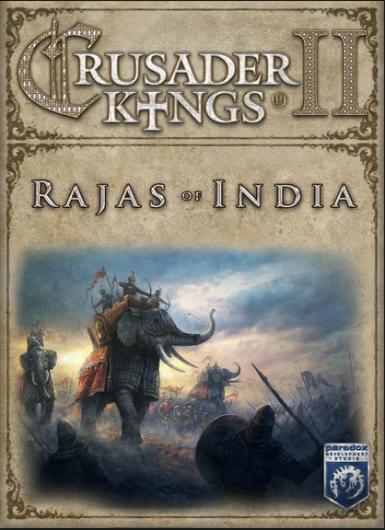
Crusader Kings II - Rajas of India (DLC)
About this licence
Crusader Kings II - Rajas of India (DLC) is an expansion that brings the rich history of the Indian subcontinent to the grand strategy game. This add-on introduces new playable rulers, religions, and mechanics, allowing you to explore the diverse cultures of medieval India. The DLC integrates seamlessly with the base game, enhancing the dynastic simulation with fresh strategic options. It requires the base Crusader Kings II game to play, offering a deeper and more varied gameplay experience. The expansion adds the Indian subcontinent as a fully playable region, complete with its own unique rulers and religions. You can now guide Hindu, Buddhist, or Jain rulers to power, each with their own mechanics and challenges. The DLC also introduces new events, decisions, and interactions tailored to the Indian setting. These additions provide fresh ways to expand your dynasty and influence the medieval world. The key is redeemed on Steam, where it unlocks the DLC content permanently. The expansion is compatible with the base game on all supported platforms, ensuring a smooth integration. No additional subscriptions or fees are required to access the content once activated. This DLC is a genuine software licence acquired for lawful resale. Each purchase includes a valid VAT invoice and activation support if needed. The listed licence term controls expiry, with no automatic renewal or extension unless stated otherwise. Enjoy lifetime access to the additional content, expanding your Crusader Kings II experience with the depth of medieval India.
- Adds the Indian subcontinent as a playable region
- Introduces Hindu, Buddhist, and Jain rulers
- New events and decisions for Indian gameplay
- Requires base Crusader Kings II to play
- Steam activation with delivery timing shown before payment
- Lifetime access to DLC content
Frequently asked questions
How do I activate Crusader Kings II - Rajas of India (DLC)?
The DLC is activated via Steam using the digital key provided after purchase. Simply redeem the key in your Steam client to unlock the content. The key is delivered according to the timing shown before payment via email, so you can start playing right away. Ensure you have the base Crusader Kings II game installed, as it is required to play the DLC.
What does the listed activation region mean?
The activation region indicates where the digital key can be redeemed. This DLC has global compatibility, meaning the key can be activated in any region. There are no regional restrictions on where you can play the content once it is unlocked on your Steam account.
How is the digital key delivered?
The digital key is delivered according to the timing shown before payment via email after your purchase is confirmed. You will receive the key along with instructions on how to redeem it on Steam. There is no waiting period, so you can activate and start playing the DLC immediately.
Do I need the base game to play this DLC?
Yes, Crusader Kings II - Rajas of India (DLC) requires the base Crusader Kings II game to play. The DLC adds content to the base game but does not function as a standalone product. Ensure you own the base game before purchasing the DLC.
What support is included with the purchase?
Each purchase includes a valid VAT invoice and activation support if needed. If you encounter any issues with redeeming or activating the key, support is available to assist you. The licence is genuine and acquired for lawful resale, ensuring a secure and reliable purchase.
Product details
| Brand | King |
|---|---|
| Category | All Games |
| Platform | Steam |
| License | Standard |
| Activation region | Global |
| Delivery | Digital key — secure order-page delivery |
| Invoice | EU invoice included |
System requirements
Product-specific requirements have not yet been verified. Check the publisher’s compatibility information before purchase or ask support to confirm your setup.
Activation & installation overview
- 1Download the installer from the vendor’s official website.
- 2Run the installer and follow the on-screen steps.
- 3Enter your license key when prompted to activate.
- 4Restart if requested — you’re ready to go.
This is a general activation overview; publisher screens can vary by edition and version.
Top in All Games
See all SteamCyberpunk 2077 | Digital Version | PCAll Games
 SteamGrand Theft Auto IV Complete Edition EU PC Steam CD KeyAll Games
 SteamGrand Theft Auto IV Complete Edition PC Steam CD KeyAll Games
 SteamGrand Theft Auto IV Complete Edition PC Steam GiftAll Games
 AlienAlien: Isolation (Collection)All Games
 NeedNeed for Speed Most Wanted Limited Edition PC EA App CD KeyAll Games
 SteamNBA 2K14 PC Steam CD KeyAll Games
 PlayStationPlayStation Plus Essential 3 Months Subscription UKAll Games
Customer reviews
No reviews yet