
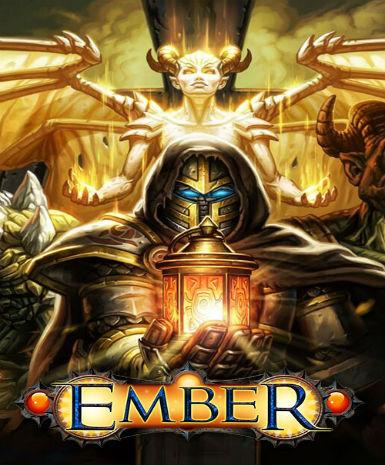
Ember
About this licence
Ember is a digital game available for activation on the Steam platform. This product provides lifetime access to the game with no expiration date. The global license allows activation in most countries where Steam operates. The key requires redemption through a valid Steam account for activation. Once activated, the game remains permanently accessible through your Steam library. The product key enables full access to Ember on any compatible device via Steam. No additional subscriptions or fees are required after the initial purchase. The worldwide activation means the key works across most international regions. Steam's cloud saving features are supported for your game progress. Multiplayer functionality is included where supported by the game. All future game updates are automatically delivered through Steam. Your purchase includes a genuine software license for lawful personal use. A valid VAT invoice will be provided with every transaction. Activation support is available if you encounter any issues redeeming your key. The product does not include automatic renewal or extension of the license. The lifetime access continues as long as Steam maintains the game service. Family sharing may be available depending on Steam's current policies. To activate, simply log into your Steam account and enter the provided key. The global license covers activation in most territories without restrictions. Steam's standard system requirements apply for optimal game performance. Customer support can assist with any activation or delivery questions. This is a digital-only product; no physical items will be shipped.
- Steam platform activation
- Global license for worldwide activation
- Lifetime access with no expiration
- secure order-page delivery of product key
- Requires Steam account for activation
Frequently asked questions
How do I activate my Ember product key?
You activate the key through your Steam account. After purchase, you'll receive the key via email which you can redeem in Steam's 'Activate a Product' section. The activation process takes just moments, and the game will then appear in your library. Steam's activation support can help if you encounter any issues.
What does the global license mean?
The global license allows activation in most countries where Steam operates. There are no regional restrictions on where you can redeem the key. The game will be playable in your local language if supported. Some very specific country restrictions may apply based on Steam's current policies.
When will I receive my product key?
The key is delivered according to the timing shown before payment via email upon successful payment. Check your inbox and spam folder if you don't see it immediately. The email will contain clear instructions for activation. If you experience any delivery delay, customer support can assist with verification.
Is this a lifetime license?
Yes, the license provides permanent access to Ember through Steam. There are no recurring fees or subscription requirements. The game will remain in your Steam library indefinitely. Future updates to the game will be available through Steam's standard update system.
What payment methods are accepted?
We accept all major credit cards and PayPal for purchases. Each transaction includes a valid VAT invoice for your records. The payment process is secure and handled through our certified payment processor. You'll receive confirmation of your purchase immediately after payment.
Can I get a refund for this product?
Refund policies follow standard digital goods regulations. Since keys are delivered according to the timing shown before payment, refunds are typically only available if the key is unredeemed and unused. Please contact customer support with any refund inquiries. The VAT invoice included with your purchase may be required for processing.
Product details
| Brand | Ember |
|---|---|
| Category | All Games |
| Platform | Steam |
| License | Standard |
| Activation region | Global |
| Delivery | Digital key — secure order-page delivery |
| Invoice | EU invoice included |
System requirements
Product-specific requirements have not yet been verified. Check the publisher’s compatibility information before purchase or ask support to confirm your setup.
Activation & installation overview
- 1Download the installer from the vendor’s official website.
- 2Run the installer and follow the on-screen steps.
- 3Enter your license key when prompted to activate.
- 4Restart if requested — you’re ready to go.
This is a general activation overview; publisher screens can vary by edition and version.
Top in All Games
See all SteamCyberpunk 2077 | Digital Version | PCAll Games
 SteamGrand Theft Auto IV Complete Edition EU PC Steam CD KeyAll Games
 SteamGrand Theft Auto IV Complete Edition PC Steam CD KeyAll Games
 SteamGrand Theft Auto IV Complete Edition PC Steam GiftAll Games
 AlienAlien: Isolation (Collection)All Games
 NeedNeed for Speed Most Wanted Limited Edition PC EA App CD KeyAll Games
 SteamNBA 2K14 PC Steam CD KeyAll Games
 PlayStationPlayStation Plus Essential 3 Months Subscription UKAll Games
Customer reviews
No reviews yet