
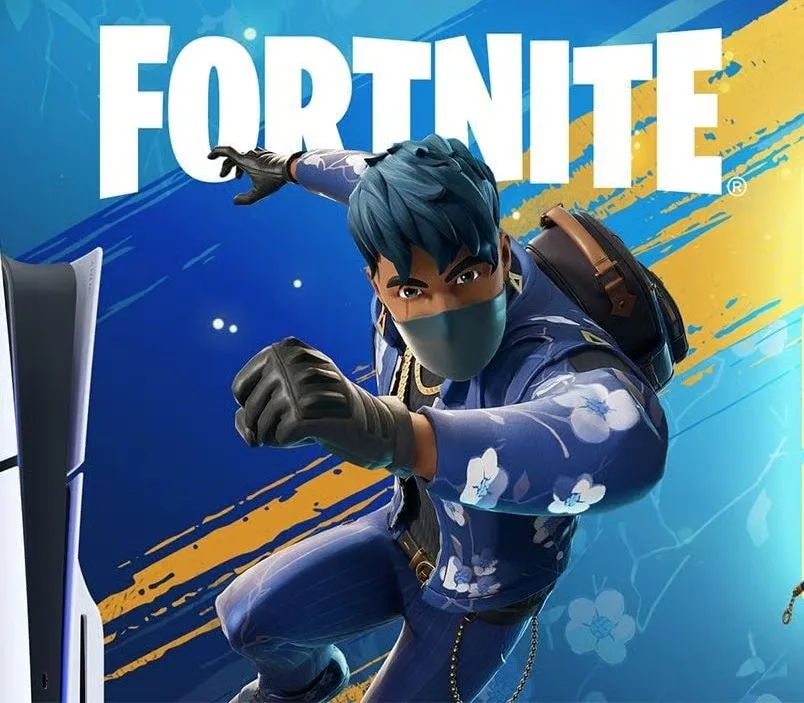
Fortnite - Flowering Chaos DLC EU PS5 CD Key
About this licence
Fortnite - Flowering Chaos DLC EU PS5 CD Key provides a collection of cosmetic items for your Fortnite character. This DLC includes 1000 V-Bucks, the Florin Outfit with LEGO Style, Blossom Backpack Back Bling, Floral Finisher Pickaxe, and Blue Bloom Mic. V-Bucks serve as in-game currency usable across Fortnite Battle Royale, Creative, and Save the World modes. In Battle Royale and Creative, V-Bucks can purchase customization items like outfits, gliders, pickaxes, emotes, and wraps. Save the World mode allows V-Bucks to acquire X-Ray Llamas containing weapon schematics, trap schematics, and new Heroes. Each purchase includes a valid VAT invoice and activation support if required. The content can be added to your account through the provided key.
- Contains 1000 V-Bucks for in-game purchases
- Florin Outfit with LEGO Style customization
- Blossom Backpack Back Bling accessory
- Floral Finisher Pickaxe tool
- Blue Bloom Mic emote
- Secure digital delivery after payment
Frequently asked questions
How will I receive my Fortnite DLC content?
After completing your payment, you'll receive a secure link to access your digital CD key. The key is delivered electronically without physical shipment. You can use this key to add the content to your account immediately.
What items are included in this DLC?
This DLC contains 1000 V-Bucks along with several cosmetic items: the Florin Outfit with LEGO Style, Blossom Backpack Back Bling, Floral Finisher Pickaxe, and Blue Bloom Mic. V-Bucks can be used in all Fortnite game modes to acquire various in-game items.
What support comes with my purchase?
Your purchase includes a valid VAT invoice for your records. Activation support is available if needed. The digital key is delivered securely and can be used immediately after purchase.
Product details
| Brand | Fortnite |
|---|---|
| Category | All Games |
| License | Standard |
| Delivery | Digital key — secure order-page delivery |
| Invoice | EU invoice included |
System requirements
Product-specific requirements have not yet been verified. Check the publisher’s compatibility information before purchase or ask support to confirm your setup.
Activation & installation overview
- 1Open your platform (e.g. Steam) and choose ‘Activate a Product’.
- 2Enter the key from your secure order page.
- 3The title is added to your library — download and play.
This is a general activation overview; publisher screens can vary by edition and version.
Top in All Games
See all SteamCyberpunk 2077 | Digital Version | PCAll Games
 SteamGrand Theft Auto IV Complete Edition EU PC Steam CD KeyAll Games
 SteamGrand Theft Auto IV Complete Edition PC Steam CD KeyAll Games
 SteamGrand Theft Auto IV Complete Edition PC Steam GiftAll Games
 AlienAlien: Isolation (Collection)All Games
 SteamGrand Theft Auto III Steam CD KeyAll Games
 NeedNeed for Speed Most Wanted Limited Edition PC EA App CD KeyAll Games
 SteamNBA 2K14 PC Steam CD KeyAll Games
Customer reviews
No reviews yet