
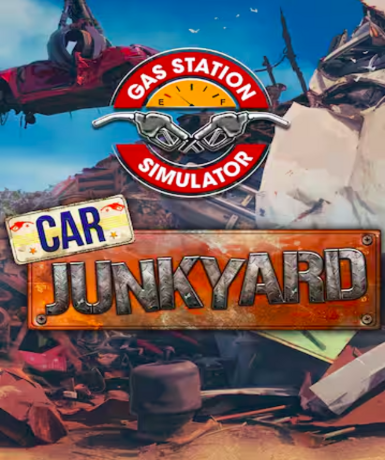
Gas Station Simulator - Car Junkyard (Steam) (DLC)
About this licence
Gas Station Simulator - Car Junkyard is a downloadable content expansion for the base game Gas Station Simulator, available on Steam. This DLC introduces a new car junkyard area where players can salvage, repair, and sell scrap vehicles to expand their business operations. The expansion adds fresh gameplay mechanics focused on vehicle restoration and customization, offering more ways to grow your gas station empire. Players will discover new vehicles to work on and additional options to personalize their junkyard operations. The DLC requires ownership of the base game Gas Station Simulator on Steam to play. It is designed to integrate seamlessly with the existing game, providing additional content without altering the core gameplay experience. The expansion focuses on the business management aspects of running a car junkyard alongside your gas station operations. Players can expect to spend hours managing their new scrap yard while maintaining their existing fuel business. This product is a digital key for the Steam platform with global activation. The key can be activated through your Steam client by navigating to the 'Add a Game' section and selecting 'Activate a Product on Steam'. Once activated, the DLC content will be permanently added to your Steam library. Each purchase includes a valid VAT invoice and activation support if needed. The licence is valid for the lifetime of your Steam account, with no recurring fees or subscription requirements. The DLC content will remain accessible as long as you maintain access to your Steam account and the base game. This is a genuine software licence acquired for lawful resale through authorized distribution channels.
- New car junkyard area with salvage mechanics
- Additional vehicles and customization options
- Integrated business expansion for your gas station
- Requires base game Gas Station Simulator
- Global Steam key with delivery timing shown before payment
- Lifetime access with no subscriptions
Frequently asked questions
How do I activate Gas Station Simulator - Car Junkyard (Steam) (DLC)?
After purchase, you'll receive an email with your Steam key. Open your Steam client, click 'Add a Game' in the bottom left corner, then select 'Activate a Product on Steam'. Follow the prompts to enter your key. The DLC will be added to your library and can be accessed through the base game. You only need to activate the key once for permanent access.
What does 'Global' activation region mean?
The Global activation region means this Steam key can be redeemed and used in any country where Steam operates. There are no geographical restrictions on where you can activate or play the DLC. The content will be available in your Steam library regardless of your location, as long as you have the base game installed.
When will I receive my Steam key after purchase?
Your Steam key for Gas Station Simulator - Car Junkyard (DLC) will be delivered according to the timing shown before payment via email after your payment is processed. Check your inbox, including spam/junk folders, for the email containing your key. If you don't receive it within a few minutes, contact customer support with your order details for assistance.
Do I need the base game to use this DLC?
Yes, Gas Station Simulator - Car Junkyard is a DLC expansion that requires the base game Gas Station Simulator on Steam to play. The DLC content integrates with the base game and cannot be used as a standalone product. Make sure you own or purchase the base game separately before activating this DLC.
What's included in the purchase besides the Steam key?
Your purchase includes a valid Steam key for the DLC, a VAT invoice for your records, and access to activation support if needed. The key provides lifetime access to the DLC content through your Steam account. There are no physical items included - this is a digital-only product delivered via email.
Product details
| Brand | Steam |
|---|---|
| Category | All Games |
| Platform | Steam |
| License | Standard |
| Activation region | Global |
| Delivery | Digital key — secure order-page delivery |
| Invoice | EU invoice included |
System requirements
Product-specific requirements have not yet been verified. Check the publisher’s compatibility information before purchase or ask support to confirm your setup.
Activation & installation overview
- 1Open your platform (e.g. Steam) and choose ‘Activate a Product’.
- 2Enter the key from your secure order page.
- 3The title is added to your library — download and play.
This is a general activation overview; publisher screens can vary by edition and version.
Top in All Games
See all SteamCyberpunk 2077 | Digital Version | PCAll Games
 SteamGrand Theft Auto IV Complete Edition EU PC Steam CD KeyAll Games
 SteamGrand Theft Auto IV Complete Edition PC Steam CD KeyAll Games
 SteamGrand Theft Auto IV Complete Edition PC Steam GiftAll Games
 AlienAlien: Isolation (Collection)All Games
 NeedNeed for Speed Most Wanted Limited Edition PC EA App CD KeyAll Games
 SteamNBA 2K14 PC Steam CD KeyAll Games
 PlayStationPlayStation Plus Essential 3 Months Subscription UKAll Games
Customer reviews
No reviews yet