
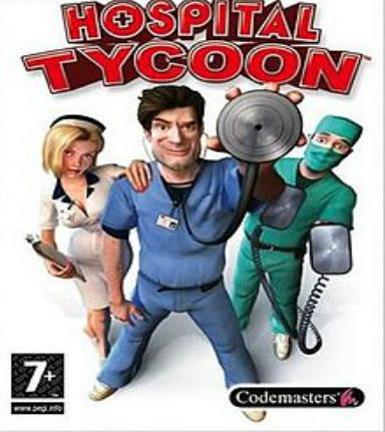
Hospital Tycoon
About this licence
Hospital Tycoon is a business simulation game where players manage and build a hospital from the ground up. You are responsible for designing the layout, hiring staff, purchasing equipment, and ensuring patient satisfaction. The game features a variety of scenarios and challenges that test your management skills. With its engaging gameplay and humorous take on hospital administration, Hospital Tycoon offers hours of strategic fun. This product is a digital key for the Steam platform. You can activate the game immediately and start playing. Each purchase includes a valid VAT invoice and activation support.
- Manage and build your own hospital from scratch
- Hire doctors, nurses, and support staff
- Purchase and upgrade medical equipment
- Complete various scenarios and challenges
- secure order-page delivery of digital key
Frequently asked questions
How do I activate Hospital Tycoon?
Hospital Tycoon is activated on the Steam platform. After purchase, you will receive a digital key via email. Use this key to activate the game in your Steam library. Each purchase includes activation support if needed.
When will I receive my digital key?
The digital key for Hospital Tycoon is delivered according to the timing shown before payment via email after purchase. You can activate the game immediately and start playing. Ensure you check your inbox, including the spam folder, for the email.
What is included with my purchase?
Your purchase includes a digital key for Hospital Tycoon on Steam. You will also receive a valid VAT invoice and activation support. The key is delivered according to the timing shown before payment via email for immediate activation.
Product details
| Brand | Hospital |
|---|---|
| Category | All Games |
| Platform | Steam |
| License | Upgrade |
| Delivery | Digital key — secure order-page delivery |
| Invoice | EU invoice included |
System requirements
Product-specific requirements have not yet been verified. Check the publisher’s compatibility information before purchase or ask support to confirm your setup.
Activation & installation overview
- 1Download the installer from the vendor’s official website.
- 2Run the installer and follow the on-screen steps.
- 3Enter your license key when prompted to activate.
- 4Restart if requested — you’re ready to go.
This is a general activation overview; publisher screens can vary by edition and version.
Top in All Games
See all SteamGrand Theft Auto IV Complete Edition EU PC Steam CD KeyAll Games
 SteamGrand Theft Auto IV Complete Edition PC Steam CD KeyAll Games
 SteamGrand Theft Auto IV Complete Edition PC Steam GiftAll Games
 AlienAlien: Isolation (Collection)All Games
 SteamGrand Theft Auto III Steam CD KeyAll Games
 NeedNeed for Speed Most Wanted Limited Edition PC EA App CD KeyAll Games
 SteamNBA 2K14 PC Steam CD KeyAll Games
 PlayStationPlayStation Plus Essential 3 Months Subscription UKAll Games
Customer reviews
No reviews yet