
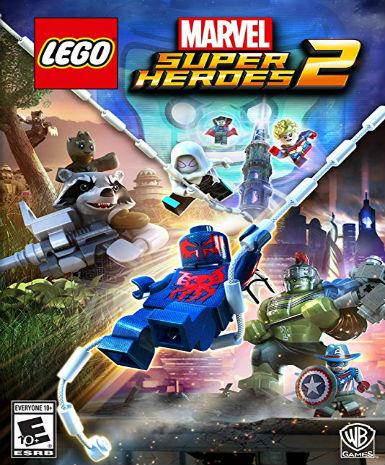
LEGO® Marvel Super Heroes 2 - Standard Edition
About this licence
LEGO® Marvel Super Heroes 2 - Standard Edition is an action-adventure game featuring Marvel characters in LEGO style. Players can explore multiple worlds and timelines with iconic heroes like Spider-Man, Iron Man, and the Guardians of the Galaxy. The game combines puzzle-solving with dynamic combat using each character's unique abilities. An original storyline spans different eras and locations for varied gameplay. The Standard Edition includes the base game with no additional expansions or DLC. This digital version provides instant access via Steam upon activation. The game supports single-player and local co-op modes for shared play. LEGO humor and family-friendly content make it suitable for all ages. Character customization options allow players to create their own superhero combinations. Regular updates and patches ensure smooth performance across supported systems. The product includes a genuine software license for permanent use. Each purchase comes with a valid VAT invoice and activation support if needed. The license is valid worldwide with no regional restrictions. No automatic renewal or extension is required as the license has no expiration. To activate, redeem the Steam key in your account library section. The game requires a Steam client installed on your Windows PC. Internet connection is necessary for initial activation and updates. Cloud saves allow progress to be shared across multiple devices. Family sharing is available through Steam's built-in features.
- Play as iconic Marvel superheroes in LEGO form
- Explore multiple worlds and timelines
- Solve puzzles and battle enemies
- Instant Steam key delivery
- Worldwide activation
- Family-friendly co-op gameplay
Frequently asked questions
How do I activate LEGO® Marvel Super Heroes 2?
Redeem the Steam key in your account library. The key is delivered according to the timing shown before payment via email after purchase. Launch Steam and click 'Add a Game' in the bottom left corner. Enter the key when prompted to add the game to your library. Download and install to begin playing.
What does worldwide activation mean?
The license has no regional restrictions and works globally. You can activate and play from any country. The game interface supports multiple languages based on your Steam settings. No VPN or region switching is required for activation.
When will I receive my digital key?
The key is delivered according to the timing shown before payment via email after payment confirmation. Check your inbox and spam folder if you don't see it immediately. The email contains clear instructions for activation. Contact support if you experience any delivery issues.
What's included in the Standard Edition?
The Standard Edition contains the base game only. It does not include any expansions or DLC packs. All future updates and patches are included at no additional cost. The edition offers the complete main story campaign.
Is this a permanent license?
Yes, the license has no expiration date. You maintain access to the game permanently after activation. No subscription or renewal is required. The license is tied to your Steam account indefinitely.
Can I get a VAT invoice?
Yes, a valid VAT invoice is included with every purchase. The invoice is generated automatically and sent via email. It contains all required tax information. Business customers can request additional documentation if needed.
What support is included?
Activation support is available if you encounter issues redeeming your key. Technical support for gameplay issues is provided by the developer. The store can assist with delivery and payment inquiries. Contact methods are listed in your purchase confirmation.
Product details
| Brand | Heroes |
|---|---|
| Category | All Games |
| Edition | Standard |
| Platform | Steam |
| License | Standard |
| Activation region | Global |
| Delivery | Digital key — secure order-page delivery |
| Invoice | EU invoice included |
System requirements
Product-specific requirements have not yet been verified. Check the publisher’s compatibility information before purchase or ask support to confirm your setup.
Activation & installation overview
- 1Download the installer from the vendor’s official website.
- 2Run the installer and follow the on-screen steps.
- 3Enter your license key when prompted to activate.
- 4Restart if requested — you’re ready to go.
This is a general activation overview; publisher screens can vary by edition and version.
Top in All Games
See all SteamCyberpunk 2077 | Digital Version | PCAll Games
 SteamGrand Theft Auto IV Complete Edition EU PC Steam CD KeyAll Games
 SteamGrand Theft Auto IV Complete Edition PC Steam GiftAll Games
 AlienAlien: Isolation (Collection)All Games
 NeedNeed for Speed Most Wanted Limited Edition PC EA App CD KeyAll Games
 SteamNBA 2K14 PC Steam CD KeyAll Games
 PlayStationPlayStation Plus Essential 3 Months Subscription UKAll Games
 XboxXBOX Live USD 50 Prepaid Card USAll Games
Customer reviews
No reviews yet