
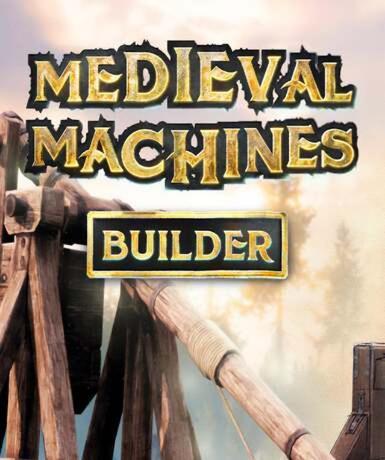
Medieval Machines Builder (Steam) (Early Access)
About this licence
Medieval Machines Builder is a Steam game available as a digital key for global activation. This Early Access title lets you experience and shape the game's development as it grows. The product focuses on constructing and operating various medieval-era machines and contraptions. The game is currently in active development with regular updates and improvements. Your purchase includes a lifetime licence for Medieval Machines Builder on Steam. This means permanent access to the game on your Steam account with no expiration. Steam provides automatic updates and cloud saves for your convenience. The Early Access status means you can play while the developers continue adding content. You'll be able to provide feedback that may influence the game's development. The digital key activates globally on Steam with no regional restrictions. Simply redeem the key in your Steam client to add the game to your library. Each purchase includes a valid VAT invoice and activation support if needed. The game is only available digitally through Steam Early Access at this time. Medieval Machines Builder focuses on creative construction of medieval devices. Players can design, build and operate various mechanical contraptions. The Early Access model allows you to experience the game's evolution firsthand. Your feedback during development can help shape the final product. This is a genuine software licence acquired for lawful resale.
- Global Steam digital key
- secure order-page delivery
- Lifetime licence
- Early Access game
- Steam platform integration
- Medieval machinery construction
Frequently asked questions
How do I activate Medieval Machines Builder?
You'll receive a digital key via email immediately after purchase. Redeem this key in your Steam client to activate the game. The activation process takes just a few moments. Your game will then be permanently added to your Steam library. Steam provides automatic updates for the game as development continues.
What does the GLOBAL activation region mean?
The GLOBAL activation means the key works worldwide without regional restrictions. You can activate and play the game from any country. The licence is not limited to specific territories. All language options available in the game will be accessible. This applies to all purchases through this listing.
How will I receive my digital key?
Your Steam key is delivered according to the timing shown before payment via email after payment confirmation. Check your inbox and spam folder if you don't see the email immediately. The key is also available in your purchase history on our website. There are no physical shipments involved in this purchase. Activation support is available if you encounter any issues.
What does Early Access mean for this game?
Early Access means the game is still in active development. You can play the current version while the developers continue working on it. Your feedback may influence future updates and features. The game will receive regular updates during development. The final version may differ from the Early Access build.
What is included with my purchase?
Your purchase includes a lifetime licence for Medieval Machines Builder on Steam. You'll receive a digital key for immediate activation. Each purchase comes with a valid VAT invoice. The game will remain in your Steam library permanently. You also receive activation support if needed.
Can I get a refund for this purchase?
Refund policies depend on the platform where you make your purchase. Digital game keys cannot typically be returned after activation. Please review the refund policy before completing your order. Unactivated keys may be eligible for return under certain conditions. Contact customer support with any questions about returns.
Product details
| Brand | Steam |
|---|---|
| Category | All Games |
| Platform | Steam |
| License | Standard |
| Activation region | Global |
| Delivery | Digital key — secure order-page delivery |
| Invoice | EU invoice included |
System requirements
Product-specific requirements have not yet been verified. Check the publisher’s compatibility information before purchase or ask support to confirm your setup.
Activation & installation overview
- 1Open your platform (e.g. Steam) and choose ‘Activate a Product’.
- 2Enter the key from your secure order page.
- 3The title is added to your library — download and play.
This is a general activation overview; publisher screens can vary by edition and version.
Top in All Games
See all SteamCyberpunk 2077 | Digital Version | PCAll Games
 SteamGrand Theft Auto IV Complete Edition EU PC Steam CD KeyAll Games
 SteamGrand Theft Auto IV Complete Edition PC Steam CD KeyAll Games
 SteamGrand Theft Auto IV Complete Edition PC Steam GiftAll Games
 AlienAlien: Isolation (Collection)All Games
 NeedNeed for Speed Most Wanted Limited Edition PC EA App CD KeyAll Games
 SteamNBA 2K14 PC Steam CD KeyAll Games
 PlayStationPlayStation Plus Essential 3 Months Subscription UKAll Games
Customer reviews
No reviews yet