
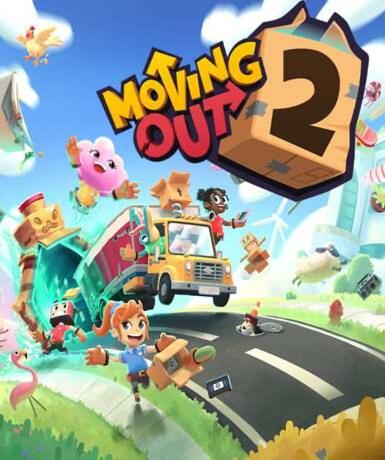
Moving Out 2 (Steam)
About this licence
Moving Out 2 is a chaotic and hilarious multiplayer moving simulator available on Steam. Players team up as furniture movers tasked with transporting items from homes to moving trucks, navigating quirky obstacles and physics-based challenges. The game builds on the original's cooperative gameplay with new levels, mechanics, and customization options for an even more entertaining experience. Moving Out 2 supports both local and online multiplayer, making it perfect for playing with friends or family. The game's accessible controls and humorous scenarios ensure fun for players of all skill levels. The gameplay revolves around cooperative moving tasks with increasing complexity. Teams must strategize to move furniture through unconventional spaces and obstacles. New mechanics in this sequel include special abilities and environmental interactions. Players can customize their movers with various outfits and accessories. The physics-based puzzles create unpredictable and humorous situations. Multiple difficulty settings accommodate both casual and competitive players. This product includes a digital license key for Moving Out 2 on Steam. The key provides access to the full game with all current content. Activation is available worldwide with no regional restrictions. The license does not expire and provides ongoing access to the game. Support is available for activation issues through the seller. Genuine software licenses are acquired for lawful resale. Each purchase includes a valid VAT invoice for accounting purposes. The license grants permanent access to the game on Steam. No automatic renewal or subscription is required for continued access. For multiplayer, all players need their own copy of the game. The product is delivered digitally with no physical components.
- Chaotic multiplayer moving simulator gameplay
- Supports local and online co-op modes
- New levels and mechanics compared to original
- Global Steam key with delivery timing shown before payment
- Permanent access with digital license
Frequently asked questions
How do I activate Moving Out 2 (Steam)?
The product includes a Steam key delivered via email. Open the Steam client, select 'Activate a Product' under the Games menu, and enter the key. The game will be added to your library permanently. No additional subscriptions are required for access.
What does worldwide activation mean?
The Steam key can be activated in any country without regional restrictions. The game will be available in your Steam library regardless of location. All language options and content are included with the global version. No VPN or region changes are needed.
How is the product delivered?
After purchase, you receive the Steam key instantly by email. The delivery is digital with no waiting time or shipping costs. Check your inbox and spam folder if you don't see the email immediately. Contact support if you encounter any delivery issues.
Is this a permanent license?
Yes, the license provides permanent access to Moving Out 2 on Steam. There is no expiration date or recurring fees. The game remains in your library indefinitely. Future updates and patches will be available through Steam automatically.
What support is included with purchase?
The seller provides activation support for the Steam key. Each purchase includes a VAT invoice for your records. For game-related issues, consult Steam's support resources. The seller cannot provide refunds once the key has been activated on Steam.
Can I play with friends who own the game?
Moving Out 2 supports both local and online multiplayer. For online play, each player needs their own copy of the game. Local co-op allows multiple players on one system. The game features cross-platform matchmaking for online sessions.
Product details
| Brand | Steam |
|---|---|
| Category | All Games |
| Platform | Steam |
| License | Standard |
| Activation region | Global |
| Delivery | Digital key — secure order-page delivery |
| Invoice | EU invoice included |
System requirements
Product-specific requirements have not yet been verified. Check the publisher’s compatibility information before purchase or ask support to confirm your setup.
Activation & installation overview
- 1Open your platform (e.g. Steam) and choose ‘Activate a Product’.
- 2Enter the key from your secure order page.
- 3The title is added to your library — download and play.
This is a general activation overview; publisher screens can vary by edition and version.
Top in All Games
See all SteamCyberpunk 2077 | Digital Version | PCAll Games
 SteamGrand Theft Auto IV Complete Edition EU PC Steam CD KeyAll Games
 SteamGrand Theft Auto IV Complete Edition PC Steam GiftAll Games
 AlienAlien: Isolation (Collection)All Games
 NeedNeed for Speed Most Wanted Limited Edition PC EA App CD KeyAll Games
 SteamNBA 2K14 PC Steam CD KeyAll Games
 PlayStationPlayStation Plus Essential 3 Months Subscription UKAll Games
 XboxXBOX Live USD 50 Prepaid Card USAll Games
Customer reviews
No reviews yet