
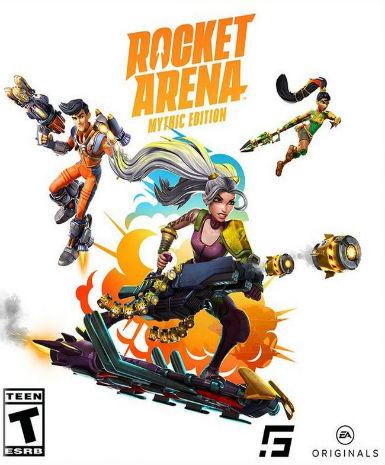
Rocket Arena (Mythic Edition)
About this licence
Rocket Arena (Mythic Edition) is a digital edition of the competitive multiplayer game available for activation on the EA App platform. This version includes all base game content plus potential Mythic Edition exclusives, though specific enhancements are not detailed. The product provides lifetime access to the title with no expiration date or recurring fees after activation. Players engage in fast-paced rocket-based combat across various dynamic arenas with unique character abilities. The game supports online multiplayer matches with friends or other players worldwide. This global edition has no regional restrictions, allowing activation and play from any supported country. Redeem the key through the EA App client to add the game permanently to your library. No physical shipment is required - the entire process is digital from purchase to play. The EA App provides automatic updates and cloud save functionality for the title. Each purchase includes a valid VAT invoice for accounting or reimbursement purposes. The seller provides activation support if any issues occur during the redemption process. This is a genuine software licence acquired legally for resale to end users. The product does not include automatic renewal or extended access beyond the stated lifetime term. All transactions are secured with standard payment protection measures. System requirements are determined by the EA App platform and the game's current specifications. Multiplayer functionality requires an internet connection and EA account registration. The Mythic Edition may offer visual or cosmetic upgrades over the standard version. No subscription is needed to maintain access after initial activation. Support is available for legitimate activation issues through the seller's customer service.
- Global activation (no region locks)
- Lifetime access licence
- secure order-page delivery
- EA App platform key
- Includes Mythic Edition content
- VAT invoice included
Frequently asked questions
How do I activate Rocket Arena (Mythic Edition)?
Redeem the provided digital key in the EA App client. The key will permanently add the game to your EA library. Installation can begin immediately after redemption through the app. No additional codes or steps are required beyond the initial key activation.
What does the global activation region mean?
The key can be activated from any country where the EA App operates. There are no geographic restrictions on where you redeem or play the game. Your account region does not affect access to the purchased content. The licence remains valid regardless of location changes.
When will I receive my digital key?
Keys are delivered according to the timing shown before payment via email after payment confirmation. Check your inbox and spam folder if the message doesn't appear. The email contains clear instructions for redemption. Contact support if delivery takes longer than a few minutes after purchase.
What's included in the Mythic Edition?
This edition contains the base Rocket Arena game plus potential exclusive content. Exact enhancements may include cosmetic items or visual upgrades not specified here. All additional content is delivered automatically with the main game files after activation through the EA App.
Is this a legitimate licence with VAT invoice?
Yes, each purchase includes a proper VAT invoice for tax purposes. The seller acquires licences legally for resale. You receive full activation support for any redemption issues. The product follows all platform terms of service for digital game distribution.
Product details
| Brand | Rocket |
|---|---|
| Category | All Games |
| Edition | Mythic |
| Platform | EA App |
| License | Standard |
| Activation region | Global |
| Delivery | Digital key — secure order-page delivery |
| Invoice | EU invoice included |
System requirements
Product-specific requirements have not yet been verified. Check the publisher’s compatibility information before purchase or ask support to confirm your setup.
Activation & installation overview
- 1Download the installer from the vendor’s official website.
- 2Run the installer and follow the on-screen steps.
- 3Enter your license key when prompted to activate.
- 4Restart if requested — you’re ready to go.
This is a general activation overview; publisher screens can vary by edition and version.
Top in All Games
See all SteamCyberpunk 2077 | Digital Version | PCAll Games
 SteamGrand Theft Auto IV Complete Edition EU PC Steam CD KeyAll Games
 SteamGrand Theft Auto IV Complete Edition PC Steam GiftAll Games
 AlienAlien: Isolation (Collection)All Games
 NeedNeed for Speed Most Wanted Limited Edition PC EA App CD KeyAll Games
 SteamNBA 2K14 PC Steam CD KeyAll Games
 PlayStationPlayStation Plus Essential 3 Months Subscription UKAll Games
 XboxXBOX Live USD 50 Prepaid Card USAll Games
Customer reviews
No reviews yet