
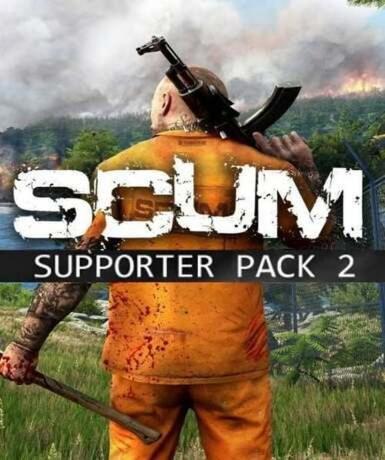
SCUM Supporter Pack (DLC) (Steam)
About this licence
The SCUM Supporter Pack (DLC) (Steam) is an expansion for the survival game SCUM, delivering additional in-game content through a digital key. This DLC provides access to exclusive supporter items that enhance your gameplay experience in SCUM. This is a digital product only, requiring the base game SCUM on Steam to use the DLC content. The pack is designed to complement the core survival experience with unique cosmetic or functional items. Activation is simple - redeem the provided Steam key in your Steam client to unlock the DLC content. The key has no regional restrictions and can be activated from any location worldwide. Once activated, the DLC content remains permanently accessible in your Steam library. No additional subscriptions or recurring fees are required to maintain access to the content. The supporter pack is a one-time purchase with lifetime access to the included items. The key can be activated at any time after receipt - there is no expiration on unredeemed keys. Support is available if you encounter any issues with delivery or activation of your DLC. This is a genuine software licence acquired for lawful resale through authorized channels. Each purchase includes a valid VAT invoice for your records and accounting purposes. The product does not automatically renew - it provides permanent access after activation. Ensure you own the base game SCUM on Steam before purchasing this DLC pack. The supporter pack content is tied to your Steam account after activation.
- DLC expansion for SCUM on Steam
- Global activation with no restrictions
- Permanent access after activation
- secure delivery through your order page
- Requires base game SCUM to use
Frequently asked questions
How do I activate the SCUM Supporter Pack?
Redeem the Steam key in your Steam client to activate the DLC. Launch Steam and click 'Add a Game' in the bottom left corner, then select 'Activate a Product on Steam'. Follow the prompts to enter your key and complete activation. The DLC content will then be available in your SCUM game. Activation is permanent and doesn't require any additional steps after redemption.
What does global activation mean?
Global activation means the key can be redeemed from any country without regional restrictions. The DLC content will be available regardless of your location. There are no country-specific versions or limitations on where you can activate the product. The same key works for all regions, providing equal access to all supported territories.
How will I receive my SCUM Supporter Pack?
You'll receive the Steam key instantly via email after purchase. Check your inbox for a message containing your digital key and activation instructions. If you don't see the email, please check your spam folder before contacting support. The key is delivered digitally - there is no physical product or shipment involved in this purchase.
Do I need the base game to use this DLC?
Yes, you must own SCUM on Steam to use this supporter pack. The DLC content integrates with the base game and cannot be used independently. If you don't already own SCUM, you'll need to purchase it separately before the DLC content becomes accessible. The supporter pack enhances but doesn't replace the core game experience.
What support is included with my purchase?
Your purchase includes activation support for the Steam key and a valid VAT invoice. If you encounter issues redeeming your key, support can assist with the activation process. The product comes with the same warranty and support options as other digitally distributed software. For game-specific technical issues, please contact the game developer's official support channels.
Product details
| Brand | Steam |
|---|---|
| Category | All Games |
| Platform | Steam |
| License | Standard |
| Activation region | Global |
| Delivery | Digital key — secure order-page delivery |
| Invoice | EU invoice included |
System requirements
Product-specific requirements have not yet been verified. Check the publisher’s compatibility information before purchase or ask support to confirm your setup.
Activation & installation overview
- 1Open your platform (e.g. Steam) and choose ‘Activate a Product’.
- 2Enter the key from your secure order page.
- 3The title is added to your library — download and play.
This is a general activation overview; publisher screens can vary by edition and version.
Top in All Games
See all SteamCyberpunk 2077 | Digital Version | PCAll Games
 SteamGrand Theft Auto IV Complete Edition EU PC Steam CD KeyAll Games
 SteamGrand Theft Auto IV Complete Edition PC Steam CD KeyAll Games
 SteamGrand Theft Auto IV Complete Edition PC Steam GiftAll Games
 AlienAlien: Isolation (Collection)All Games
 NeedNeed for Speed Most Wanted Limited Edition PC EA App CD KeyAll Games
 SteamNBA 2K14 PC Steam CD KeyAll Games
 PlayStationPlayStation Plus Essential 3 Months Subscription UKAll Games
Customer reviews
No reviews yet