
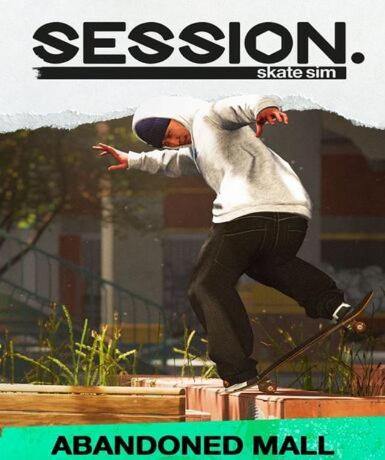
Session: Skate Sim - Abandoned Mall (DLC) (Steam)
About this licence
Session: Skate Sim - Abandoned Mall (DLC) is a downloadable content expansion for the Session: Skate Sim game, available on Steam. This DLC introduces a new environment for players to explore and skate in, adding fresh challenges and opportunities for creative skateboarding. The Abandoned Mall setting provides a unique urban landscape filled with ramps, rails, and obstacles to master. Players can dive into this new location immediately after activation, enhancing their Session: Skate Sim experience with additional content. The DLC seamlessly integrates with the base game, expanding the available skate spots and gameplay possibilities. The Abandoned Mall features multiple levels and interactive elements that respond to your skateboarding skills. Each area is designed to test your abilities and encourage creative trick execution. The Steam key provided is valid for global activation, allowing players worldwide to access the DLC content. No physical shipment is required, and the key can be activated through the Steam client or website. This ensures quick and convenient access to the new skateboarding environment. Each purchase includes a valid VAT invoice and activation support if needed. The licence grants access to the DLC content without any stated expiry or renewal terms. The product is supplied through lawful resale channels, guaranteeing genuine software. For any activation issues, customer support is available to assist with the redemption process.
- Adds Abandoned Mall location to Session: Skate Sim
- Global Steam key for instant activation
- New skateboarding challenges and environments
- Seamless integration with base game
- secure delivery through your order page
Frequently asked questions
How do I activate Session: Skate Sim - Abandoned Mall (DLC)?
The product is activated through the Steam platform. After purchase, you'll receive a Steam key via email. Log into your Steam account, navigate to 'Add a Game' in the bottom left corner, and select 'Activate a Product on Steam'. Enter the provided key to add the DLC to your library. The content will be available immediately after activation if you own the base game.
What does the global activation region mean?
The global activation region indicates this Steam key can be redeemed from any country where Steam operates. There are no geographical restrictions on where you can activate the product. The key works with Steam accounts worldwide, regardless of your physical location. This ensures access to the DLC content for all players.
How will I receive my Steam key after purchase?
The Steam key is delivered digitally via email shortly after your payment is processed. Check your inbox, including spam or promotions folders, for the email containing your activation code. The delivery is typically instantaneous, but may take a few minutes during peak times. If you don't receive your key within a reasonable timeframe, contact customer support for assistance.
Do I need the base game to use this DLC?
Yes, Session: Skate Sim - Abandoned Mall (DLC) requires the base game Session: Skate Sim to function. The DLC content integrates directly with the existing game, adding new locations and challenges. You must own and have installed Session: Skate Sim on your Steam account before the DLC content will be accessible. The DLC does not operate as a standalone product.
What support is included with my purchase?
Your purchase includes activation support for redeeming the Steam key. If you encounter issues during the activation process, customer service can assist with troubleshooting. Each order comes with a valid VAT invoice for accounting purposes. The product is supplied through authorized distribution channels, ensuring you receive genuine software. Support does not extend to gameplay advice or technical issues beyond activation.
Product details
| Brand | Steam |
|---|---|
| Category | All Games |
| Platform | Steam |
| License | Standard |
| Activation region | Global |
| Delivery | Digital key — secure order-page delivery |
| Invoice | EU invoice included |
System requirements
Product-specific requirements have not yet been verified. Check the publisher’s compatibility information before purchase or ask support to confirm your setup.
Activation & installation overview
- 1Open your platform (e.g. Steam) and choose ‘Activate a Product’.
- 2Enter the key from your secure order page.
- 3The title is added to your library — download and play.
This is a general activation overview; publisher screens can vary by edition and version.
Top in All Games
See all SteamCyberpunk 2077 | Digital Version | PCAll Games
 SteamGrand Theft Auto IV Complete Edition EU PC Steam CD KeyAll Games
 SteamGrand Theft Auto IV Complete Edition PC Steam CD KeyAll Games
 SteamGrand Theft Auto IV Complete Edition PC Steam GiftAll Games
 AlienAlien: Isolation (Collection)All Games
 NeedNeed for Speed Most Wanted Limited Edition PC EA App CD KeyAll Games
 SteamNBA 2K14 PC Steam CD KeyAll Games
 PlayStationPlayStation Plus Essential 3 Months Subscription UKAll Games
Customer reviews
No reviews yet