
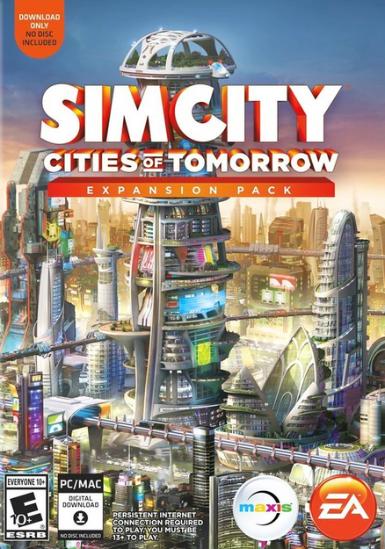
SimCity: Cities of Tomorrow
About this licence
SimCity: Cities of Tomorrow is a futuristic expansion to the classic city-building simulation game. Players can construct towering megastructures, implement advanced transportation systems, and manage the ecological challenges of tomorrow's urban landscapes. This edition lets you reshape cities with new technologies like fusion power, maglev trains, and drone networks. The expansion introduces new challenges and opportunities for urban planners to test their skills in a high-tech environment. The digital key provides access to this expansion through the EA App platform. The key can be activated worldwide, with no regional restrictions on where you can play. The expansion integrates seamlessly with your existing SimCity base game, adding new content without replacing the original experience. With this expansion, you'll gain access to futuristic city districts, advanced transportation options, and new resource management systems. The expansion focuses on balancing technological progress with environmental sustainability, offering fresh gameplay mechanics. You'll need to manage new resources like OmegaCoins while dealing with challenges like pollution control and energy demands. The purchase includes a genuine software licence for lawful resale. Each order comes with a valid VAT invoice and activation support if needed. The licence provides continued access to the expansion content as long as you maintain access to your EA account. There is no automatic renewal or extension unless specifically stated in the product facts.
- Build futuristic cities with advanced technologies
- Includes maglev trains and drone networks
- Access via EA App platform
- Worldwide activation key
- delivery timing shown before payment
- Includes VAT invoice and support
Frequently asked questions
Where do I activate my SimCity: Cities of Tomorrow key?
The digital key activates through the EA App platform. After purchase, you'll receive the code via email for immediate redemption. The activation process links the expansion to your EA account. Make sure you have the base SimCity game installed before activating the expansion. The key works worldwide with no regional restrictions.
What does worldwide activation mean for this product?
Worldwide activation means the key can be redeemed from any country without regional restrictions. The expansion content will be available in your game regardless of your location. The licence is valid for activation on EA accounts globally. There are no geographical limitations on where you can play after activation.
How will I receive my activation key after purchase?
You'll receive the digital key instantly via email after completing your purchase. The email contains clear instructions for redeeming your key through the EA App. Check your inbox and spam folder if you don't see the email immediately. The key is delivered digitally with no physical shipment involved.
What's included with my purchase besides the game key?
Each purchase includes a valid VAT invoice for your records. You also receive activation support if needed during redemption. The licence provides continued access to the expansion content through your EA account. There are no physical items included - everything is delivered digitally.
Does this licence expire or require renewal?
The licence provides continued access to the expansion content without expiration. There is no automatic renewal process or subscription required. Your access continues as long as you maintain your EA account. The product facts do not mention any time-limited access or renewal requirements.
Product details
| Brand | SIMCITY |
|---|---|
| Category | All Games |
| Platform | EA App |
| License | Standard |
| Activation region | Global |
| Delivery | Digital key — secure order-page delivery |
| Invoice | EU invoice included |
System requirements
Product-specific requirements have not yet been verified. Check the publisher’s compatibility information before purchase or ask support to confirm your setup.
Activation & installation overview
- 1Download the installer from the vendor’s official website.
- 2Run the installer and follow the on-screen steps.
- 3Enter your license key when prompted to activate.
- 4Restart if requested — you’re ready to go.
This is a general activation overview; publisher screens can vary by edition and version.
Top in All Games
See all SteamCyberpunk 2077 | Digital Version | PCAll Games
 SteamGrand Theft Auto IV Complete Edition EU PC Steam CD KeyAll Games
 SteamGrand Theft Auto IV Complete Edition PC Steam CD KeyAll Games
 SteamGrand Theft Auto IV Complete Edition PC Steam GiftAll Games
 AlienAlien: Isolation (Collection)All Games
 NeedNeed for Speed Most Wanted Limited Edition PC EA App CD KeyAll Games
 SteamNBA 2K14 PC Steam CD KeyAll Games
 PlayStationPlayStation Plus Essential 3 Months Subscription UKAll Games
Customer reviews
No reviews yet