
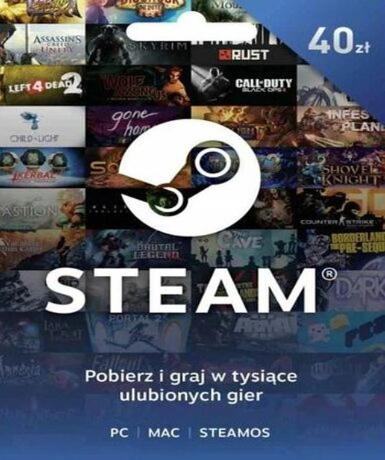
Steam Wallet Card 40 PLN (PL)
About this licence
The Steam Wallet Card 40 PLN (PL) is a digital prepaid card that adds 40 Polish złoty (PLN) to your Steam Wallet balance. This balance can be used to purchase games, software, and other content available on the Steam platform. The funds added to your Steam Wallet do not expire and can be used at any time for purchases within the Steam store. The Steam Wallet Card 40 PLN (PL) is region-locked to Poland (PL) and must be activated within this region. Each purchase includes a valid VAT invoice and activation support, ensuring a lawful and secure transaction. The funds added to your Steam Wallet remain valid indefinitely, with no automatic renewal or extension required.
- Adds 40 PLN to your Steam Wallet
- Redeemable for games and software on Steam
- secure delivery through your order page
- No expiration date for wallet funds
- Region-locked to Poland (PL)
Frequently asked questions
How do I redeem the Steam Wallet Card 40 PLN (PL)?
After purchase, you will receive a digital key via email. Log in to your Steam account and navigate to the 'Redeem a Steam Wallet Code' section. Enter the code to add 40 PLN to your Steam Wallet balance. The funds can be used immediately for purchases on Steam.
Is the Steam Wallet Card 40 PLN (PL) region-locked?
Yes, the Steam Wallet Card 40 PLN (PL) is region-locked to Poland (PL). The key must be activated within this region. Ensure your Steam account is set to the correct region before redeeming the code.
What is included with the purchase of the Steam Wallet Card 40 PLN (PL)?
Each purchase includes a digital key access according to the timing shown before payment via email, a valid VAT invoice, and activation support. The funds added to your Steam Wallet do not expire and can be used indefinitely for purchases on Steam.
Product details
| Brand | Steam |
|---|---|
| Category | All Games |
| Platform | Steam |
| License | Standard |
| Activation region | PL |
| Delivery | Digital key — secure order-page delivery |
| Invoice | EU invoice included |
System requirements
Product-specific requirements have not yet been verified. Check the publisher’s compatibility information before purchase or ask support to confirm your setup.
Activation & installation overview
- 1Open your platform (e.g. Steam) and choose ‘Activate a Product’.
- 2Enter the key from your secure order page.
- 3The title is added to your library — download and play.
This is a general activation overview; publisher screens can vary by edition and version.
Top in All Games
See all SteamCyberpunk 2077 | Digital Version | PCAll Games
 SteamGrand Theft Auto IV Complete Edition EU PC Steam CD KeyAll Games
 SteamGrand Theft Auto IV Complete Edition PC Steam GiftAll Games
 AlienAlien: Isolation (Collection)All Games
 NeedNeed for Speed Most Wanted Limited Edition PC EA App CD KeyAll Games
 SteamNBA 2K14 PC Steam CD KeyAll Games
 PlayStationPlayStation Plus Essential 3 Months Subscription UKAll Games
 XboxXBOX Live USD 50 Prepaid Card USAll Games
Customer reviews
No reviews yet