
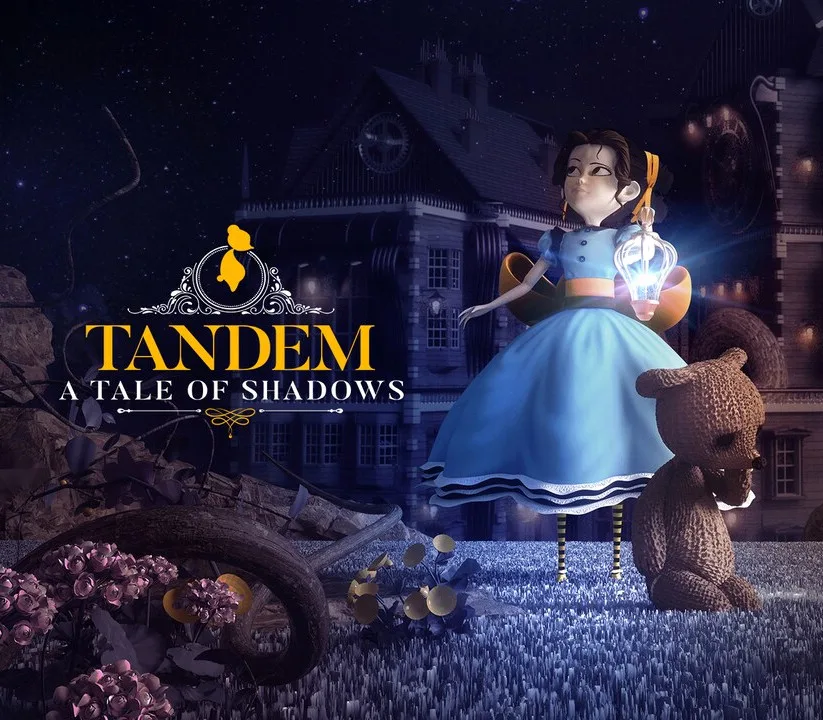
Tandem: A Tale of Shadows PC Steam CD Key
About this licence
Tandem: A Tale of Shadows redefines the puzzle platformer genre with a unique combination of top-down and side-scroller gameplay. Play as Emma and her teddy bear Fenton as they solve the mystery of magician Thomas Kane's disappearance. Explore five beautifully crafted Victorian-inspired worlds with aesthetics reminiscent of Tim Burton and Jules Verne. Switch between Emma's top-down view and Fenton's side-scroller perspective to solve intricate puzzles and navigate dangers. Each purchase includes a valid VAT invoice and activation support if needed. The game features intelligent obstacles and menacing horrors across chiaroscuro dimensions.
- Unique dual-perspective puzzle platformer
- Five Victorian-inspired worlds to explore
- Engaging mystery storyline
- Beautiful Tim Burton-esque aesthetics
- Challenging puzzles and obstacles
Frequently asked questions
How will I receive my Tandem: A Tale of Shadows key?
You will receive a secure order link with your CD key after payment is completed. The key is delivered digitally and can be activated immediately. Each purchase includes activation support if needed.
What is included with my purchase?
Your purchase includes a genuine Tandem: A Tale of Shadows CD key. You will receive a valid VAT invoice with your purchase. The product comes with activation support for assistance if required.
How do I activate my Tandem: A Tale of Shadows key?
The CD key can be activated through your client. After receiving your key, open your client and select 'Activate a Product' to redeem it. The game will then be available in your library.
Product details
| Brand | Steam |
|---|---|
| Category | All Games |
| License | Standard |
| Delivery | Digital key — secure order-page delivery |
| Invoice | EU invoice included |
System requirements
Product-specific requirements have not yet been verified. Check the publisher’s compatibility information before purchase or ask support to confirm your setup.
Activation & installation overview
- 1Open your platform (e.g. Steam) and choose ‘Activate a Product’.
- 2Enter the key from your secure order page.
- 3The title is added to your library — download and play.
This is a general activation overview; publisher screens can vary by edition and version.
Top in All Games
See all SteamCyberpunk 2077 | Digital Version | PCAll Games
 SteamGrand Theft Auto IV Complete Edition EU PC Steam CD KeyAll Games
 SteamGrand Theft Auto IV Complete Edition PC Steam CD KeyAll Games
 SteamGrand Theft Auto IV Complete Edition PC Steam GiftAll Games
 AlienAlien: Isolation (Collection)All Games
 SteamGrand Theft Auto III Steam CD KeyAll Games
 NeedNeed for Speed Most Wanted Limited Edition PC EA App CD KeyAll Games
 SteamNBA 2K14 PC Steam CD KeyAll Games
Customer reviews
No reviews yet