
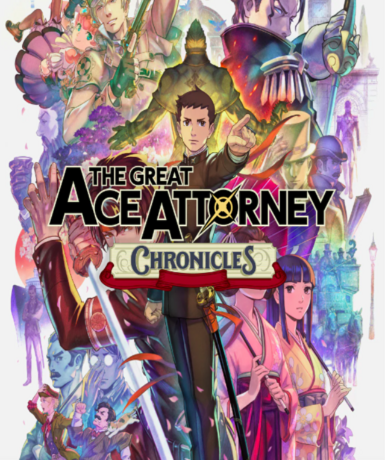
The Great Ace Attorney Chronicles (Steam)
About this licence
The Great Ace Attorney Chronicles (Steam) is a collection of two thrilling courtroom adventure games set in Victorian-era Japan and England. Players take on the role of rookie defense attorney Ryunosuke Naruhodo, ancestor of Phoenix Wright, solving mysteries through engaging storytelling. This bundle includes both The Great Ace Attorney: Adventures and The Great Ace Attorney 2: Resolve, fully localized for Western audiences. Navigate intricate cases by cross-examining witnesses, presenting evidence, and uncovering the truth behind each dramatic trial. The game blends puzzle-solving gameplay with a rich narrative across both interconnected titles. This version includes all content originally released for both titles in one complete package. The collection features enhanced visuals and quality-of-life improvements over the original releases. Players can enjoy the full experience of both adventures with seamless progression between games. The Steam version supports cloud saves and achievements across both titles. The key activates globally on Steam, with no regional restrictions on gameplay or content. The licence provides permanent access to the game with no expiration or subscription required. Support is available for activation issues through the retailer's customer service channels. Each purchase includes a valid VAT invoice for your records. System requirements can be verified on the official Steam store page before purchase. The game is playable on Windows PCs through the Steam client with an internet connection. No additional purchases are needed to access the full content of both games. The collection preserves the original Japanese voice acting with English subtitles and interface. Save data transfers automatically between both titles when played through Steam.
- Two full games in one collection
- Victorian-era courtroom adventures
- Engaging story with memorable characters
- Global Steam key with delivery timing shown before payment
- Permanent access with no expiry
Frequently asked questions
How do I activate The Great Ace Attorney Chronicles (Steam)?
The game activates on Steam. You'll receive the key instantly via email after purchase. Log into your Steam account, select 'Activate a Product' under the Games menu, and enter the provided key. The game will then appear in your library for download. Support is available if you encounter any activation issues.
What does worldwide activation mean?
The Steam key has no regional restrictions and can be activated from any country. The game content is identical worldwide with full English localization. Your purchase includes the same complete edition regardless of your location. The key works with any valid Steam account in any supported region.
How is the game delivered after purchase?
You'll receive the Steam key immediately via email after payment confirmation. The delivery is automated and typically arrives within minutes. Check your inbox and spam folder if you don't see the email. The key is also accessible through your purchase history on the retailer's website.
What's included in this collection?
The bundle contains both The Great Ace Attorney: Adventures and The Great Ace Attorney 2: Resolve. This includes all original content from both games in one package. The collection features enhanced visuals and quality-of-life improvements. No additional purchases are needed to access the full experience.
What support is included with my purchase?
Your purchase includes activation support through the retailer's customer service. A valid VAT invoice is provided with each transaction for your records. The retailer stands behind all software licences as genuine and lawfully acquired. Support can assist with key activation but not gameplay questions.
Product details
| Brand | Steam |
|---|---|
| Category | All Games |
| Platform | Steam |
| License | Standard |
| Activation region | Global |
| Delivery | Digital key — secure order-page delivery |
| Invoice | EU invoice included |
System requirements
Product-specific requirements have not yet been verified. Check the publisher’s compatibility information before purchase or ask support to confirm your setup.
Activation & installation overview
- 1Open your platform (e.g. Steam) and choose ‘Activate a Product’.
- 2Enter the key from your secure order page.
- 3The title is added to your library — download and play.
This is a general activation overview; publisher screens can vary by edition and version.
Top in All Games
See all SteamCyberpunk 2077 | Digital Version | PCAll Games
 SteamGrand Theft Auto IV Complete Edition EU PC Steam CD KeyAll Games
 SteamGrand Theft Auto IV Complete Edition PC Steam GiftAll Games
 AlienAlien: Isolation (Collection)All Games
 NeedNeed for Speed Most Wanted Limited Edition PC EA App CD KeyAll Games
 SteamNBA 2K14 PC Steam CD KeyAll Games
 PlayStationPlayStation Plus Essential 3 Months Subscription UKAll Games
 XboxXBOX Live USD 50 Prepaid Card USAll Games
Customer reviews
No reviews yet