
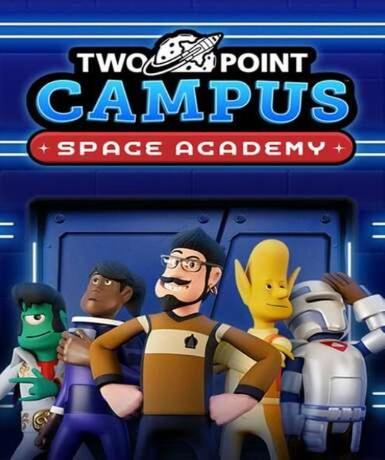
Two Point Campus: Space Academy (DLC) (Steam)
About this licence
Two Point Campus: Space Academy is a downloadable content pack for the university management simulation game Two Point Campus. This DLC introduces a new space-themed campus where players can build and manage futuristic educational facilities. Train astronauts and explore the mysteries of the cosmos through new courses and student types. The expansion blends academic life with interstellar adventure while maintaining the game's signature quirky humor. The Space Academy DLC adds fresh gameplay elements that integrate seamlessly with the base game. Players can construct specialized space-themed buildings and facilities for their interstellar campus. New challenges and scenarios test your management skills in zero-gravity environments. The DLC expands the original game's content without altering its core mechanics. All new features maintain the lighthearted tone that made Two Point Campus popular. Upon purchase, you'll receive a Steam key for lifetime access to the Space Academy content. The key activates globally and works with your existing Two Point Campus installation. No additional purchases are required beyond owning the base game on Steam. The DLC automatically appears in your game library after successful activation. Support is available if you encounter any issues with key redemption or gameplay. This product includes a valid VAT invoice for all purchases. The licence provides permanent access to the DLC content without subscription fees. The product is supplied through authorized distribution channels for lawful resale. Activation support is included with every purchase to ensure smooth setup.
- Adds space-themed campus and courses
- Includes new student types and challenges
- Seamlessly integrates with base game
- secure delivery through your order page
- Global activation on Steam
Frequently asked questions
How do I activate Two Point Campus: Space Academy?
The product provides a Steam key for activation. After purchase, you'll receive the key via email. Redeem it in your Steam client to add the DLC to your library. The content will automatically integrate with your existing Two Point Campus installation. Support is available if you encounter any activation issues.
What does worldwide activation mean?
The Steam key activates globally without regional restrictions. You can redeem it regardless of your location, provided Steam operates in your country. The DLC content will be available in all supported languages based on your Steam account settings. No additional region-locked versions exist for this product.
When will I receive my purchase?
secure delivery through your order page after payment confirmation. Check your inbox and spam folder for the email containing your Steam key. The key is delivered digitally with no shipping required. You can activate the DLC immediately upon receipt. Contact support if you don't receive your key within a few minutes.
Do I need the base game to use this DLC?
Yes, Two Point Campus: Space Academy requires the base Two Point Campus game on Steam. The DLC won't function as a standalone product. Your Steam account must own the original game before activating this expansion. The content integrates seamlessly with your existing campus management gameplay.
What payment methods are accepted?
We accept major credit cards and alternative payment methods. All transactions are secure and include a VAT invoice. Payment processing is handled through our secure checkout system. Your purchase is protected by standard consumer rights. Digital delivery begins immediately after successful payment.
Product details
| Brand | Steam |
|---|---|
| Category | All Games |
| Platform | Steam |
| License | Standard |
| Activation region | Global |
| Delivery | Digital key — secure order-page delivery |
| Invoice | EU invoice included |
System requirements
Product-specific requirements have not yet been verified. Check the publisher’s compatibility information before purchase or ask support to confirm your setup.
Activation & installation overview
- 1Open your platform (e.g. Steam) and choose ‘Activate a Product’.
- 2Enter the key from your secure order page.
- 3The title is added to your library — download and play.
This is a general activation overview; publisher screens can vary by edition and version.
Top in All Games
See all SteamCyberpunk 2077 | Digital Version | PCAll Games
 SteamGrand Theft Auto IV Complete Edition EU PC Steam CD KeyAll Games
 SteamGrand Theft Auto IV Complete Edition PC Steam GiftAll Games
 AlienAlien: Isolation (Collection)All Games
 NeedNeed for Speed Most Wanted Limited Edition PC EA App CD KeyAll Games
 SteamNBA 2K14 PC Steam CD KeyAll Games
 PlayStationPlayStation Plus Essential 3 Months Subscription UKAll Games
 XboxXBOX Live USD 50 Prepaid Card USAll Games
Customer reviews
No reviews yet