
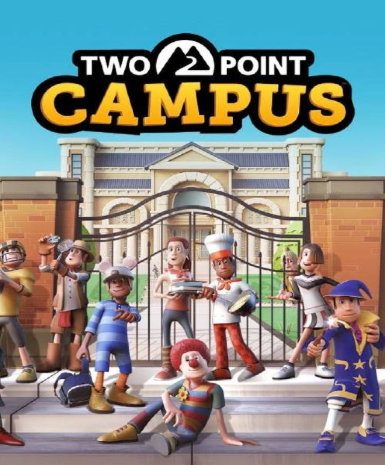
Two Point Campus (Steam)
About this licence
Two Point Campus is a simulation game where you design and manage your own university. Create the campus of your dreams, from lecture halls to student dorms, with complete creative freedom. Develop unique courses, hire eccentric staff, and ensure your students thrive in a quirky academic world. The game blends strategic management with charming humor, offering endless possibilities for campus customization. Balance budgets, expand facilities, and keep students happy to grow your university's reputation. Overcome challenges like student protests, supernatural events, and financial crises with creative solutions. The Steam version includes all base game content with full access to future updates and community features. Enjoy cross-platform cloud saves and Steam achievements as you build your academic empire. This purchase provides a global Steam key for lifetime access to Two Point Campus. Redeem the key in your Steam client to add the game to your library permanently. The licence has no regional restrictions and works with all Steam accounts worldwide. Each purchase includes a valid VAT invoice and activation support if needed. The product is supplied as a genuine software licence acquired for lawful resale. No automatic renewal or subscription - the key provides permanent access to the game. System requirements can be checked on the official Steam store page before purchase.
- Design and manage your dream university campus
- Create quirky courses with unique challenges
- Global Steam key with lifetime access
- secure order-page delivery after purchase
- Includes VAT invoice and activation support
- Steam achievements and cloud saves
Frequently asked questions
How do I activate Two Point Campus (Steam)?
After purchase, you'll receive an email with your Steam key. Open the Steam client on your computer and select 'Activate a Product' under the Games menu. Enter the key when prompted to add Two Point Campus to your library permanently. The game will be available to download and play immediately after activation.
What does the global activation region mean?
The global key works with Steam accounts from any country. There are no regional restrictions on activation or gameplay. You can redeem and play the game regardless of your location. The licence provides full access to all game content without geographical limitations.
How will I receive my Two Point Campus key?
Your Steam key is delivered according to the timing shown before payment via email after payment confirmation. Check your inbox and spam folder for an email from the store. The key is also available in your account's purchase history. No physical shipment is required - you can activate and download the game immediately.
What support is included with my purchase?
Each purchase includes activation support if you encounter issues redeeming your Steam key. You'll also receive a valid VAT invoice for your records. For technical support with the game itself, please contact the developer through official channels. The store provides assistance with key delivery and activation only.
Does this licence expire or require renewal?
The Steam key provides permanent access to Two Point Campus with no expiry date. There is no subscription or recurring payment - your access continues indefinitely. Future game updates and content patches will be available automatically through Steam at no additional cost.
Product details
| Brand | Steam |
|---|---|
| Category | All Games |
| Platform | Steam |
| License | Standard |
| Activation region | Global |
| Delivery | Digital key — secure order-page delivery |
| Invoice | EU invoice included |
System requirements
Product-specific requirements have not yet been verified. Check the publisher’s compatibility information before purchase or ask support to confirm your setup.
Activation & installation overview
- 1Open your platform (e.g. Steam) and choose ‘Activate a Product’.
- 2Enter the key from your secure order page.
- 3The title is added to your library — download and play.
This is a general activation overview; publisher screens can vary by edition and version.
Top in All Games
See all SteamCyberpunk 2077 | Digital Version | PCAll Games
 SteamGrand Theft Auto IV Complete Edition EU PC Steam CD KeyAll Games
 SteamGrand Theft Auto IV Complete Edition PC Steam GiftAll Games
 AlienAlien: Isolation (Collection)All Games
 NeedNeed for Speed Most Wanted Limited Edition PC EA App CD KeyAll Games
 SteamNBA 2K14 PC Steam CD KeyAll Games
 PlayStationPlayStation Plus Essential 3 Months Subscription UKAll Games
 XboxXBOX Live USD 50 Prepaid Card USAll Games
Customer reviews
No reviews yet