
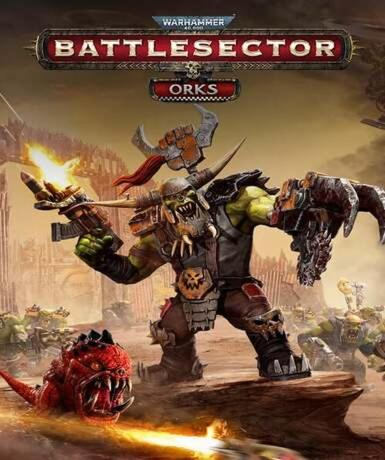
Warhammer 40,000: Battlesector – Orks (Steam)
About this licence
Warhammer 40,000: Battlesector – Orks is a DLC expansion for the turn-based strategy game set in the Warhammer 40,000 universe. This content pack focuses on the savage Ork faction, adding new units, abilities, and gameplay mechanics to the base game's tactical combat system. The expansion requires ownership of the base Warhammer 40,000: Battlesector game to play. Players gain access to brutal Ork warriors and their unique combat style through this add-on. The Steam version provides a digital key for activation on the platform. The Ork faction brings distinct gameplay elements including powerful melee units and ramshackle war machines. New abilities reflect the Orks' unpredictable nature and sheer destructive power. Tactical options expand with faction-specific mechanics that change how battles unfold. The content integrates seamlessly with the base game's campaign and multiplayer modes. Visual customization options allow players to personalize their Ork warbands. This is a genuine software licence acquired for lawful resale with full activation support. Each purchase includes a valid VAT invoice for your records. The licence provides lifetime access to the Ork content through your Steam account. Region restrictions do not apply to this globally available expansion. To activate, redeem the provided Steam key in your client or through the website. The base game must be installed before the Ork content becomes accessible. Support is available for any activation issues through standard Steam channels. This expansion enhances replayability with new faction dynamics and strategies. The Ork DLC maintains the grimdark aesthetic and lore authenticity of the Warhammer 40,000 setting.
- Adds the brutal Ork faction to Battlesector
- Includes new Ork units and abilities
- Requires base Warhammer 40,000: Battlesector
- Steam platform with global activation
- secure delivery through your order page
Frequently asked questions
How do I activate Warhammer 40,000: Battlesector – Orks?
You'll receive a Steam key via email immediately after purchase. Redeem this key in your Steam client or through the Steam website to activate the DLC. The content will be added to your Steam library. Make sure you already own the base Warhammer 40,000: Battlesector game, as this is required to access the Ork faction content.
What does the GLOBAL region mean for activation?
The GLOBAL region designation means there are no geographical restrictions on activation. The Steam key can be redeemed from any country where Steam operates. The content will be available in your library regardless of your location. This applies to all supported languages included with the DLC.
How will I receive my purchase?
The digital Steam key delivers instantly via email after your payment is processed. Check your inbox and spam folder for the email containing your activation code. The key is also accessible through your purchase history on the retailer's website. There are no physical shipments involved with this digital product.
What support is included with my purchase?
Your purchase includes activation support for the Steam key. If you encounter issues redeeming the code, contact the retailer's customer service. Each order comes with a valid VAT invoice for your records. For gameplay support after activation, use Steam's standard support channels as you would with any Steam purchase.
Do I need the base game to use this DLC?
Yes, Warhammer 40,000: Battlesector – Orks requires the base Warhammer 40,000: Battlesector game to function. This is an expansion that adds content to the existing game rather than a standalone product. The base game must be installed on your Steam account before the Ork faction content will be accessible.
Product details
| Brand | Steam |
|---|---|
| Category | All Games |
| Platform | Steam |
| License | Standard |
| Activation region | Global |
| Delivery | Digital key — secure order-page delivery |
| Invoice | EU invoice included |
System requirements
Product-specific requirements have not yet been verified. Check the publisher’s compatibility information before purchase or ask support to confirm your setup.
Activation & installation overview
- 1Open your platform (e.g. Steam) and choose ‘Activate a Product’.
- 2Enter the key from your secure order page.
- 3The title is added to your library — download and play.
This is a general activation overview; publisher screens can vary by edition and version.
Top in All Games
See all SteamCyberpunk 2077 | Digital Version | PCAll Games
 SteamGrand Theft Auto IV Complete Edition EU PC Steam CD KeyAll Games
 SteamGrand Theft Auto IV Complete Edition PC Steam CD KeyAll Games
 SteamGrand Theft Auto IV Complete Edition PC Steam GiftAll Games
 AlienAlien: Isolation (Collection)All Games
 NeedNeed for Speed Most Wanted Limited Edition PC EA App CD KeyAll Games
 SteamNBA 2K14 PC Steam CD KeyAll Games
 PlayStationPlayStation Plus Essential 3 Months Subscription UKAll Games
Customer reviews
No reviews yet