
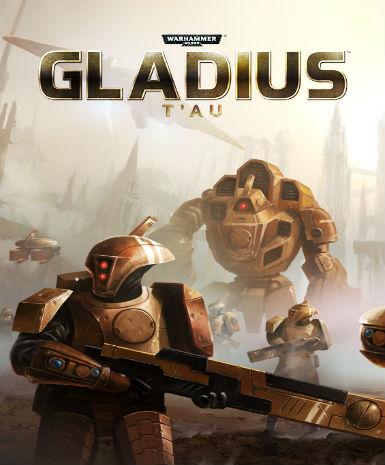
Warhammer 40,000: Gladius - T'au (DLC)
About this licence
Warhammer 40,000: Gladius - T'au (DLC) introduces the T'au Empire faction to the base game, enriching the strategic gameplay with their advanced technology and disciplined combat tactics. This DLC seamlessly integrates into Warhammer 40,000: Gladius, offering new units, abilities, and strategies for players to explore and master. The T'au faction brings a distinct playstyle, focusing on ranged combat and technological superiority over brute force. Players can expect a fresh challenge as they adapt their strategies to incorporate the T'au's unique capabilities. The DLC includes a variety of new units, each with specialized roles and abilities that reflect the T'au Empire's military doctrine. New technologies and upgrades allow players to customize their forces to suit their preferred tactics. Strategic depth is increased with the addition of faction-specific missions and objectives. The T'au's emphasis on cooperation and technology provides a different approach to warfare compared to other factions. This DLC is compatible with the base game on Steam and does not require any additional purchases to function. The activation process is straightforward, with clear instructions provided upon delivery. The licence for Warhammer 40,000: Gladius - T'au (DLC) is valid globally, allowing players from any region to enjoy the content. Each purchase includes a valid VAT invoice, ensuring compliance with local tax regulations. The product is supplied with activation support, guaranteeing a smooth experience from purchase to play. This DLC does not include automatic renewal or extension; the licence is valid for the lifetime of the product.
- Adds the T'au Empire faction to Warhammer 40,000: Gladius
- Includes new units, abilities, and strategies
- secure delivery through your order page with a Steam key
- Global compatibility for seamless activation
- Lifetime license for enduring access
Frequently asked questions
How do I activate Warhammer 40,000: Gladius - T'au (DLC)?
The DLC is activated via Steam using the digital key provided in your email after purchase. Simply open Steam, navigate to 'Activate a Product', and enter the key. The content will be added to your library immediately. Support is available if you encounter any issues during activation.
What does the listed activation region mean for this DLC?
The DLC is globally compatible, meaning the key can be activated from any region. There are no geographical restrictions on where you can use the content. The licence is valid worldwide, ensuring access for all players regardless of location.
How and when will I receive my digital key?
The digital key is delivered according to the timing shown before payment via email after purchase. Check your inbox, including the spam folder, for the email containing the key. The key is ready for activation immediately upon receipt, with no waiting period required.
What is included in the licence for this DLC?
The licence grants lifetime access to the Warhammer 40,000: Gladius - T'au (DLC) content. It does not require renewal or additional payments. The licence is valid for the lifetime of the product, providing enduring access to the new faction and its features.
Does this purchase include a VAT invoice?
Yes, each purchase includes a valid VAT invoice, ensuring compliance with local tax regulations. The invoice is provided electronically and can be accessed through your purchase confirmation email or account. This ensures transparency and legality for all transactions.
Product details
| Brand | Warhammer |
|---|---|
| Category | All Games |
| Platform | Steam |
| License | Standard |
| Activation region | Global |
| Delivery | Digital key — secure order-page delivery |
| Invoice | EU invoice included |
System requirements
Product-specific requirements have not yet been verified. Check the publisher’s compatibility information before purchase or ask support to confirm your setup.
Activation & installation overview
- 1Download the installer from the vendor’s official website.
- 2Run the installer and follow the on-screen steps.
- 3Enter your license key when prompted to activate.
- 4Restart if requested — you’re ready to go.
This is a general activation overview; publisher screens can vary by edition and version.
Top in All Games
See all SteamCyberpunk 2077 | Digital Version | PCAll Games
 SteamGrand Theft Auto IV Complete Edition EU PC Steam CD KeyAll Games
 SteamGrand Theft Auto IV Complete Edition PC Steam GiftAll Games
 AlienAlien: Isolation (Collection)All Games
 NeedNeed for Speed Most Wanted Limited Edition PC EA App CD KeyAll Games
 SteamNBA 2K14 PC Steam CD KeyAll Games
 PlayStationPlayStation Plus Essential 3 Months Subscription UKAll Games
 XboxXBOX Live USD 50 Prepaid Card USAll Games
Customer reviews
No reviews yet