
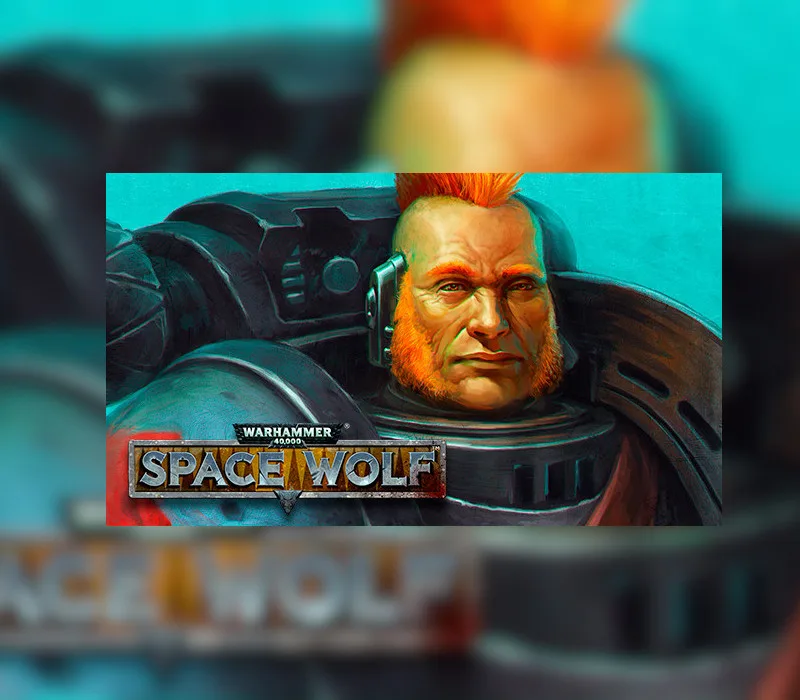
Warhammer 40,000: Space Wolf - Drenn Redblade DLC Steam CD Key
About this licence
Drenn Redblade is a young and brash member of the Deathwatch kill team Cassius, undeniably gifted in close-combat. His fiery temper and self-given deed-name have earned disapproval from his battle brothers, but his fearless nature makes him a formidable warrior. This DLC allows you to add Drenn Redblade to your squad in Warhammer 40,000: Space Wolf. Drenn proves indispensable in battles against the forces of Chaos and the Necron threat. The character brings unique close-combat skills to enhance your gameplay experience. Each purchase includes a valid VAT invoice and activation support. All software licences are acquired for lawful resale in compliance with regulations.
- Add Drenn Redblade to your Space Wolf squad
- Skilled close-combat warrior character
- Effective against Chaos and Necron enemies
- Secure digital delivery method
- Includes VAT invoice and support
Frequently asked questions
How do I receive my Drenn Redblade DLC?
You will receive a secure digital key after payment completes. The key is delivered electronically through a protected order link. This process ensures immediate access to your content.
What support is included with purchase?
Each purchase includes activation support and a valid VAT invoice. The software licence is legally acquired for resale. Support covers the activation process only.
What does this DLC add to the game?
The DLC adds Drenn Redblade as a playable character to your squad. He specializes in close combat and is particularly effective against Chaos and Necron enemies. The character brings unique abilities to enhance your gameplay.
Product details
| Brand | Steam |
|---|---|
| Category | All Games |
| License | Standard |
| Delivery | Digital key — secure order-page delivery |
| Invoice | EU invoice included |
System requirements
Product-specific requirements have not yet been verified. Check the publisher’s compatibility information before purchase or ask support to confirm your setup.
Activation & installation overview
- 1Open your platform (e.g. Steam) and choose ‘Activate a Product’.
- 2Enter the key from your secure order page.
- 3The title is added to your library — download and play.
This is a general activation overview; publisher screens can vary by edition and version.
Top in All Games
See all SteamCyberpunk 2077 | Digital Version | PCAll Games
 SteamGrand Theft Auto IV Complete Edition EU PC Steam CD KeyAll Games
 SteamGrand Theft Auto IV Complete Edition PC Steam CD KeyAll Games
 SteamGrand Theft Auto IV Complete Edition PC Steam GiftAll Games
 AlienAlien: Isolation (Collection)All Games
 SteamGrand Theft Auto III Steam CD KeyAll Games
 NeedNeed for Speed Most Wanted Limited Edition PC EA App CD KeyAll Games
 SteamNBA 2K14 PC Steam CD KeyAll Games
Customer reviews
No reviews yet