
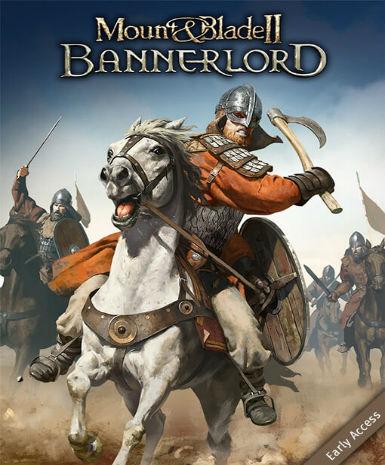
Mount & Blade II: Bannerlord
Choose your licence
Lowest-priced optionLifetime · activates in Global€16.00About this licence
Mount & Blade II: Bannerlord is a medieval action RPG that combines strategic gameplay with real-time combat. Set in the fictional continent of Calradia, the game lets you build your own faction and shape the world through diplomacy or conquest. The sandbox experience offers freedom to pursue paths as a warrior, trader, or ruler. Engage in large-scale battles with hundreds of units on screen using improved combat mechanics. The game features complex faction systems and deep RPG elements for varied gameplay. Mod support extends the gameplay possibilities beyond the core experience. This edition provides a digital key for lifetime access to Mount & Blade II: Bannerlord. The global licence works worldwide without regional restrictions. Activation is through the Steam platform using the provided key. The purchase includes a valid VAT invoice for lawful resale purposes. Support is available for activation issues through the seller. Mount & Blade II: Bannerlord refines the series' blend of tactical decision-making and first-person melee combat. Improved graphics and physics enhance the medieval battlefield experience. Players can command troops in real-time or fight alongside them in first-person view. The dynamic economy and faction relationships create a living world to explore. Siege warfare and castle battles add strategic depth to the campaign. Simply redeem the Steam key to add the game to your library permanently. No subscription or renewal is needed - the lifetime access continues indefinitely. The global activation works across all supported Steam regions. For activation help, contact the seller using the provided support channels.
- Open-world medieval sandbox with deep RPG elements
- Large-scale battles with hundreds of units
- Complex faction and diplomacy systems
- Improved combat mechanics and physics
- Mod support for extended gameplay
- Global lifetime Steam activation
Frequently asked questions
How do I activate Mount & Blade II: Bannerlord?
Activate the game on Steam using the provided digital key. The key arrives instantly via email after purchase. Simply open Steam, select 'Activate a Product', and enter the key. The game will then be permanently added to your Steam library. Global activation means the key works in all supported regions.
What does the global region mean for my purchase?
The global licence activates worldwide without regional restrictions. The key works in all countries where Steam supports Mount & Blade II: Bannerlord. No specific country or region is excluded from activation. The same content and features are available regardless of your location.
How is the digital key delivered?
The Steam key is delivered according to the timing shown before payment via email after payment completes. Check your inbox and spam folder for the delivery email. The key appears in your purchase confirmation page immediately. No waiting period is required before activation can begin.
What does lifetime access include?
Lifetime access means the game remains in your Steam library permanently. No subscription or renewal is required. Future updates and patches are included at no additional cost. The access continues indefinitely unless your Steam account is closed.
What support is included with my purchase?
The purchase includes activation support through the seller. Contact them if you encounter issues redeeming your Steam key. A valid VAT invoice is provided for lawful resale purposes. The seller assists with delivery and activation queries only.
Product details
| Brand | Mount |
|---|---|
| Category | All Games |
| Term | Lifetime |
| Platform | Steam |
| License | Standard |
| Activation region | Global |
| Delivery | Digital key — secure order-page delivery |
| Invoice | EU invoice included |
System requirements
Product-specific requirements have not yet been verified. Check the publisher’s compatibility information before purchase or ask support to confirm your setup.
Activation & installation overview
- 1Download the installer from the vendor’s official website.
- 2Run the installer and follow the on-screen steps.
- 3Enter your license key when prompted to activate.
- 4Restart if requested — you’re ready to go.
This is a general activation overview; publisher screens can vary by edition and version.
Top in All Games
See all SteamCyberpunk 2077 | Digital Version | PCAll Games
 SteamGrand Theft Auto IV Complete Edition EU PC Steam CD KeyAll Games
 SteamGrand Theft Auto IV Complete Edition PC Steam GiftAll Games
 AlienAlien: Isolation (Collection)All Games
 NeedNeed for Speed Most Wanted Limited Edition PC EA App CD KeyAll Games
 SteamNBA 2K14 PC Steam CD KeyAll Games
 PlayStationPlayStation Plus Essential 3 Months Subscription UKAll Games
 XboxXBOX Live USD 50 Prepaid Card USAll Games
Customer reviews
No reviews yet